Service.com.au processes payments through Stripe, so you can request payment for quoted or completed jobs from your business account.
There is a minimum payment amount of $10.00, and a 2.5% processing fee applies to each transaction.
Before You Start
- Payments generally take around 2 business days after the homeowner submits payment.
- You will receive a notification each time a payout is sent.
- You need to connect your bank account through Stripe before you can send payment requests.
Connect Your Stripe Account
Log In to Your Account
Log in to your account dashboard.
Open Account Settings
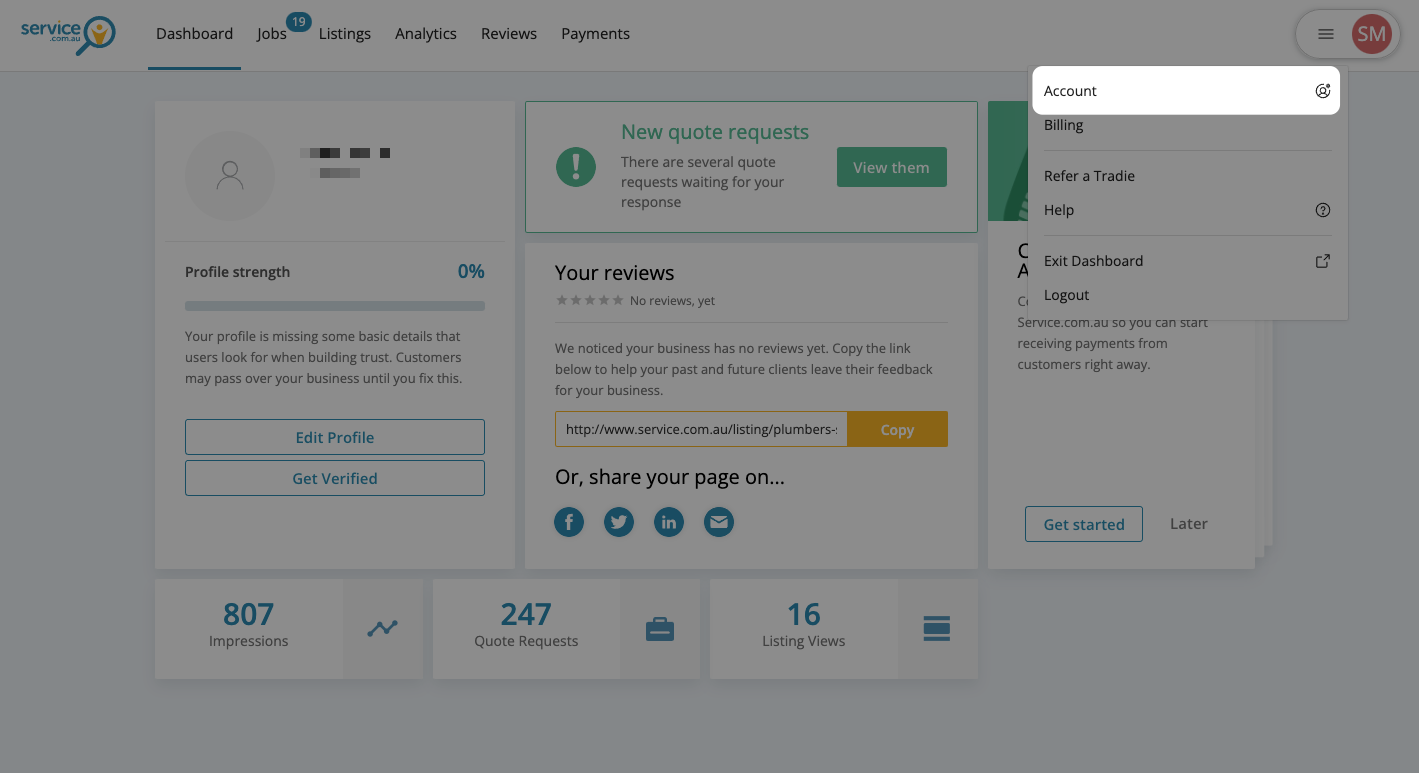
Click on the drop-down menu and select Account.
Open Payments and Payouts
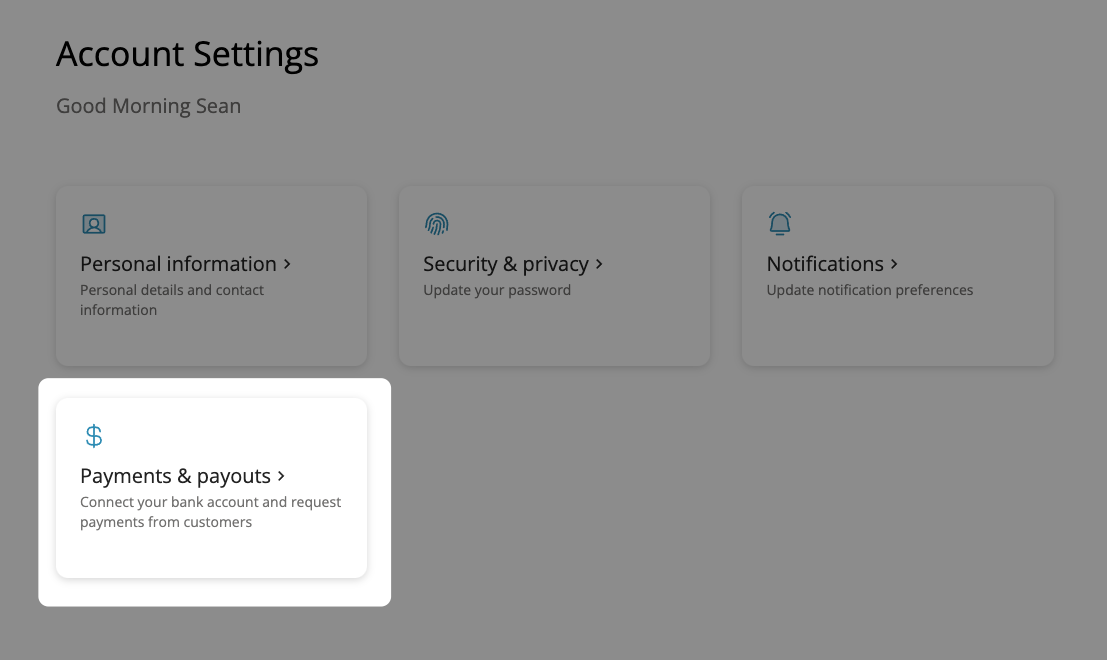
Click on Payments & payouts.
Connect with Stripe
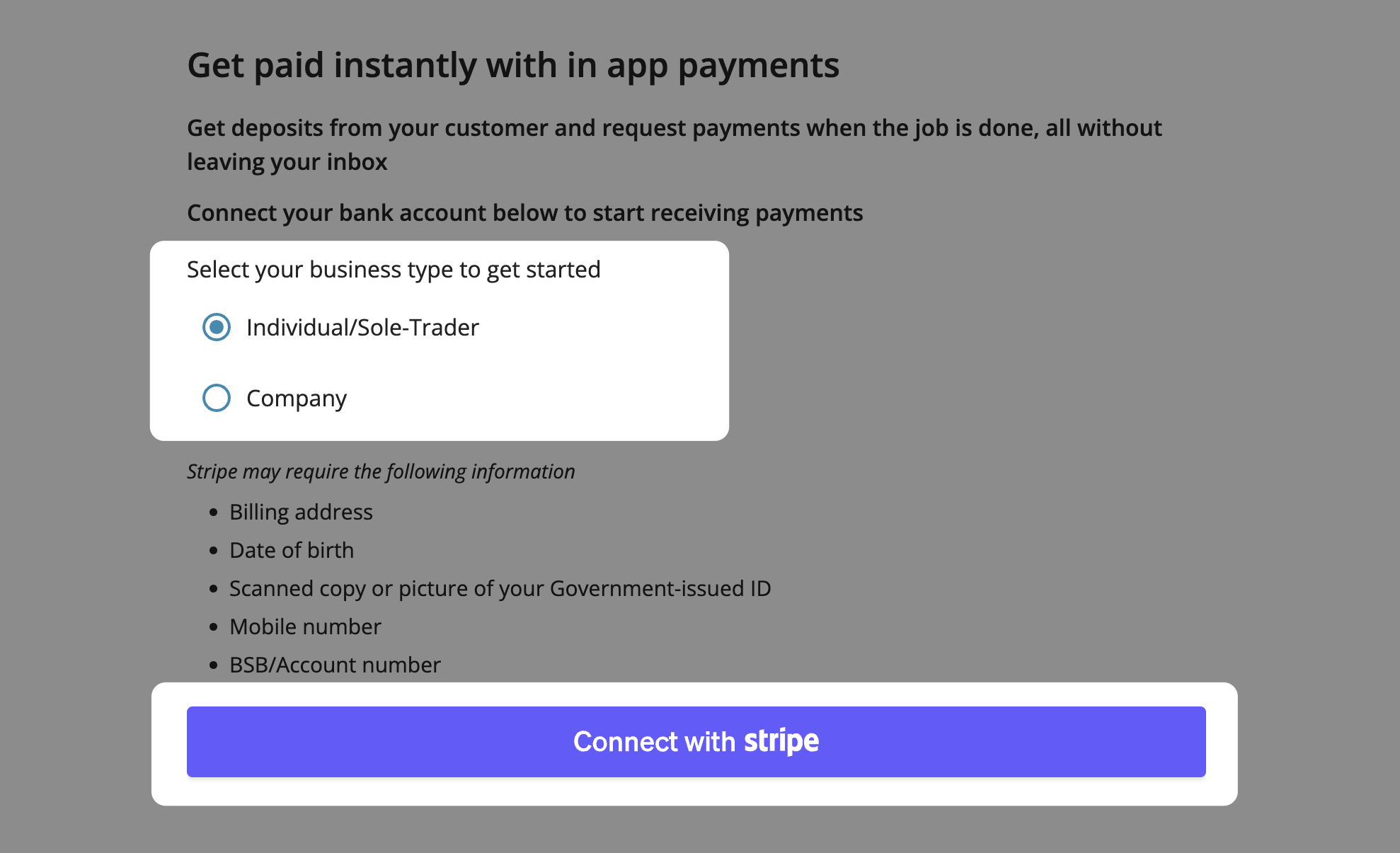
Select your business type and click on Connect with Stripe.
Verify Your Mobile Number
Enter the one-time passcode sent to your mobile number.
Finish Stripe Setup
Complete the Stripe account setup screen to finish connecting your account. This step can take 2 to 3 minutes.
Send a Payment Request
You can send payment requests for any job you have already quoted on or completed.
Log In to Your Dashboard
Log in to your account dashboard.
Open Your Jobs
Click on Jobs at the top of the page.
Select the Job
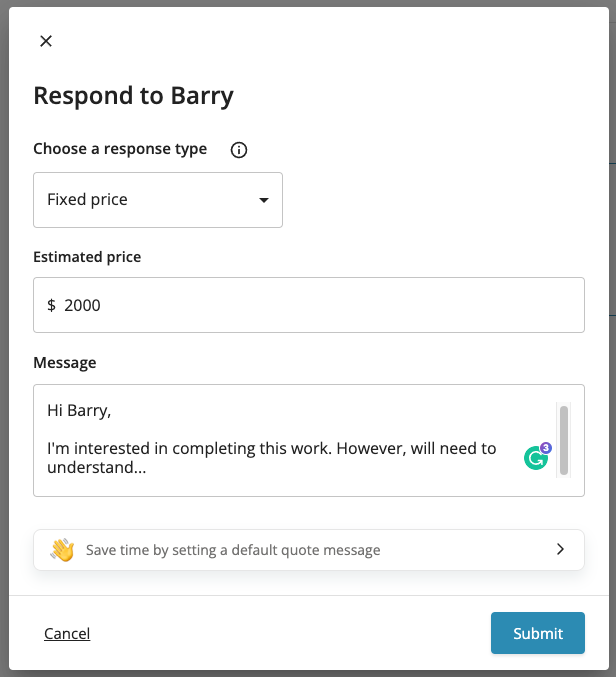
Open the job you want to request payment for. If you have not responded yet, you will need to submit a quote first.
Submit Your Quote
Submit your quote on the job if you have not already done so.
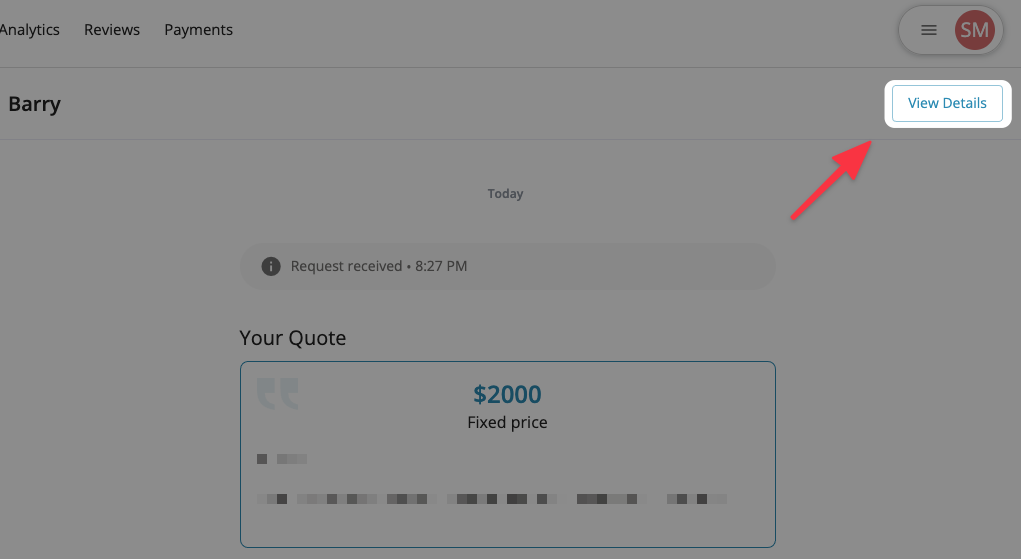
View Job Details
Click on View Details in the top right corner.
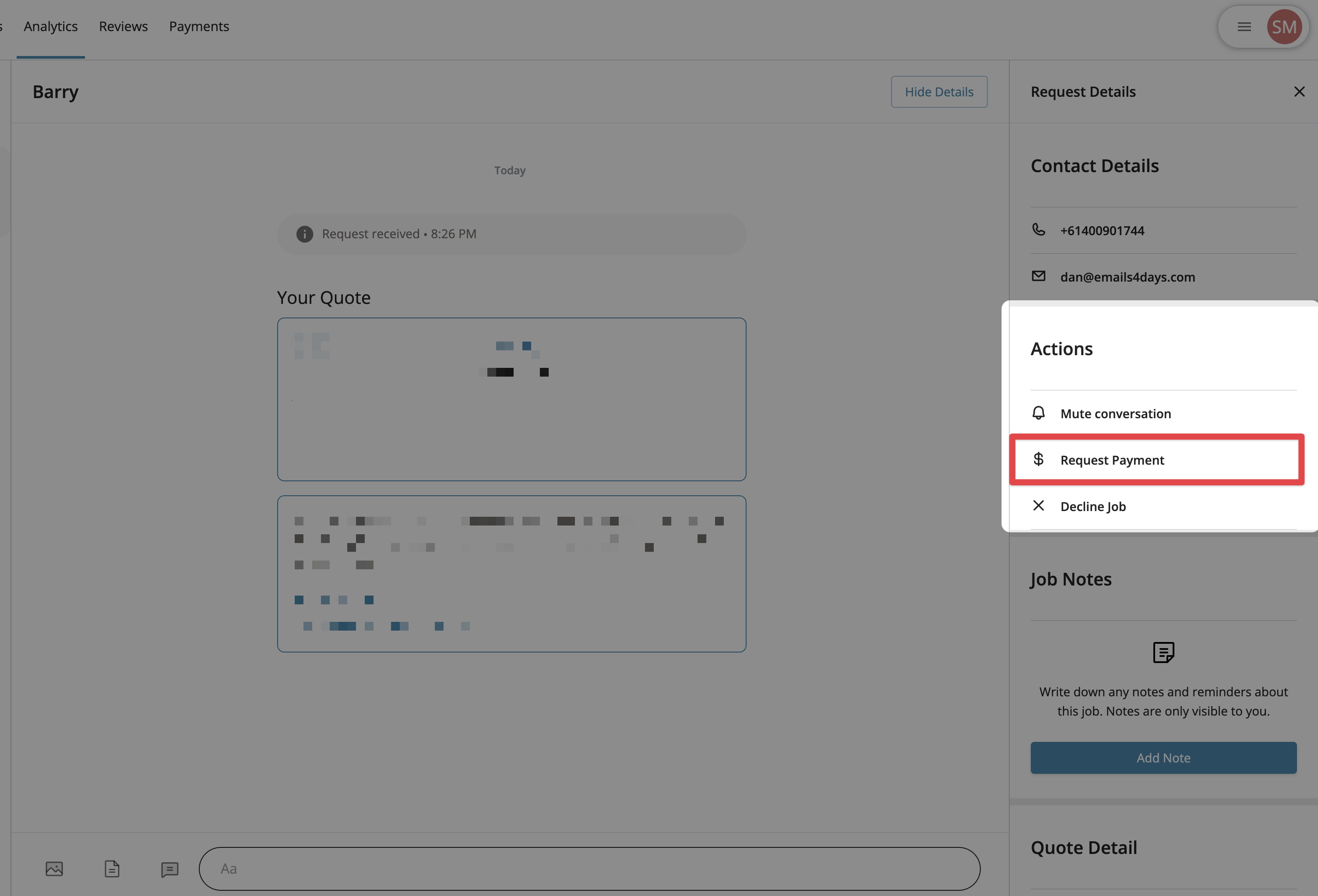
Choose Request Payment
Select Request Payment in the Actions section of the details panel. This option only appears after your Stripe account is connected.
Enter the Request Amount
Enter the amount you want to request, making sure it is at least $10.00. You can also add an optional memo.
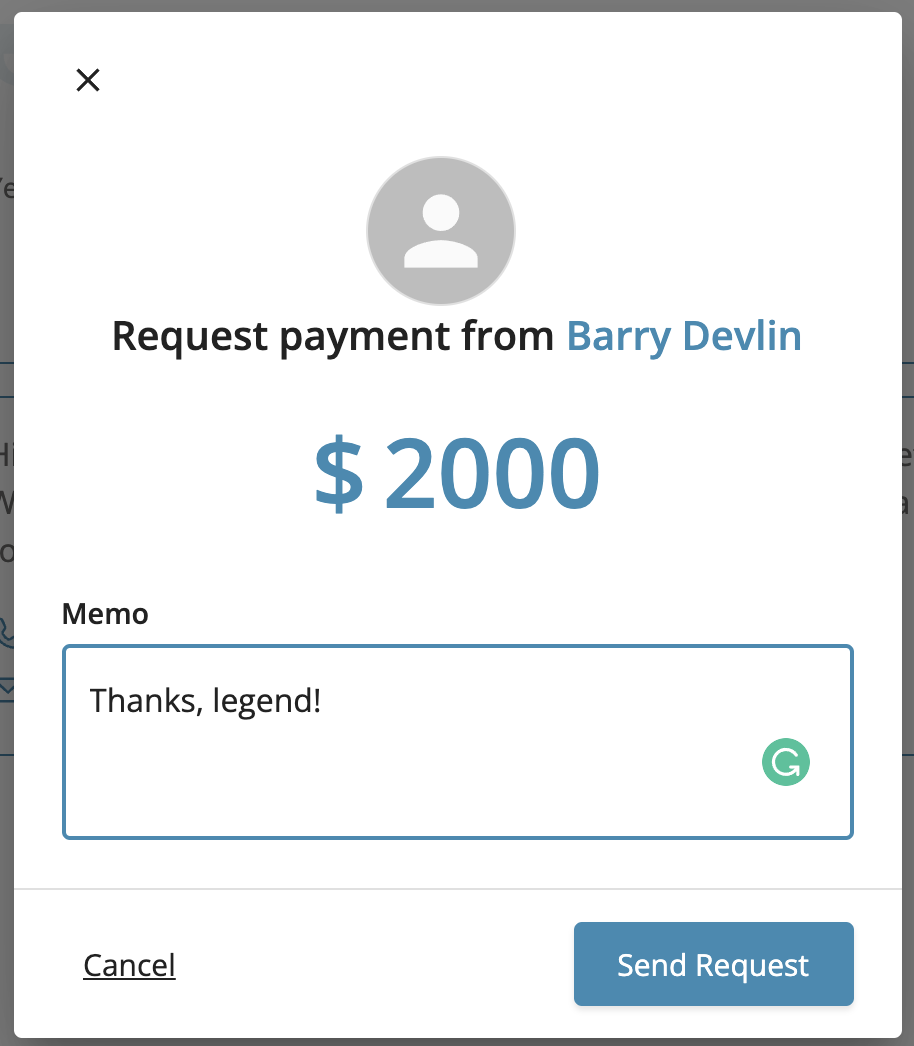
Send the Request
Click on Send Request to send the payment request to the homeowner.
View Your Payment Requests
Log In to Your Account
Log in to your account dashboard.
Open Payments
Click on Payments at the top of the page.
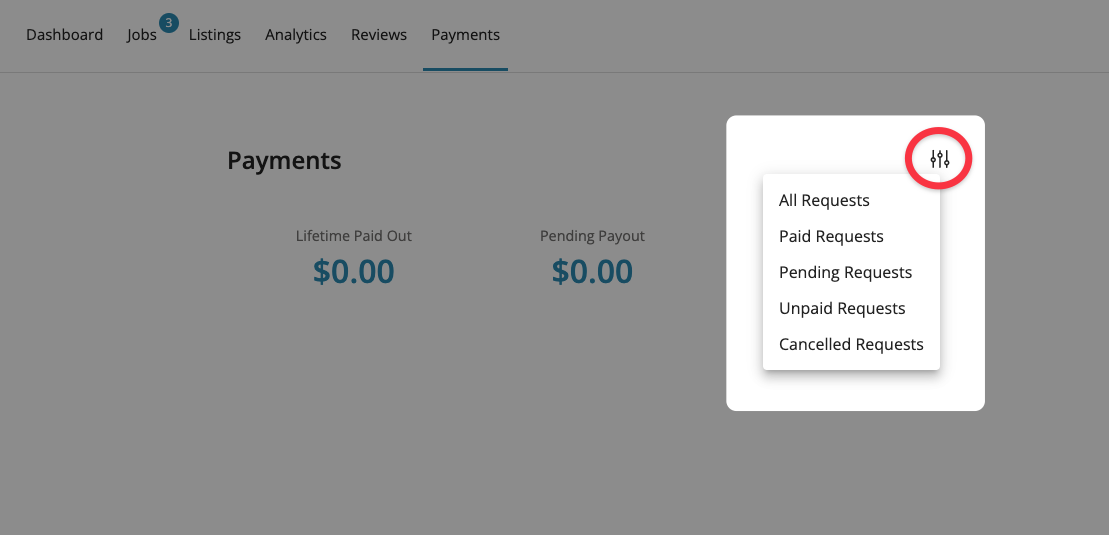
Review Your Requests
View your list of payment requests and your payment summary. You can also filter the list using the Filter options in the top right corner.
Open a Request for More Detail
Click on a payment request to see more information about it.
Need Assistance?
If you have questions, contact us at support@service.com.au or call 1300 523 787. Our team is here to help!