You don't pay per lead on Service.com.au. To respond to leads you need a Premium membership, which is one flat price billed monthly, quarterly or yearly. The price depends on your trade, your service area and the plan you choose, and the plan page works it out for you.
What You Pay for Leads
The pricing page lists what you aren't charged for:
- No leads fees
- No commissions per job
- No lock in contracts
- No hidden fees
You pay the price of your Premium plan, plus GST. The plan page shows that price before you choose anything.
How to See the Price for Your Business
If You Don't Have a Listing Yet
Open the pricing page
Go to service.com.au/pricing and scroll to View our prices.
Search for your trade
Under What type of work do you do?, start typing your trade in the Search your trade... box and select it. You can also click on Get Started.
Create your account
Enter your Full Name, Email, Phone Number, Business Name, Business Location and Service Categories, agree to the terms, then click on Create Free Listing. Once your listing is set up, open the plan page from your dashboard (see below).
Open the Plan Page From Your Dashboard
There are two ways to get to the plan page once you have a listing:
- Open a lead and click on Respond. On a Basic listing, this takes you straight to the plan page.
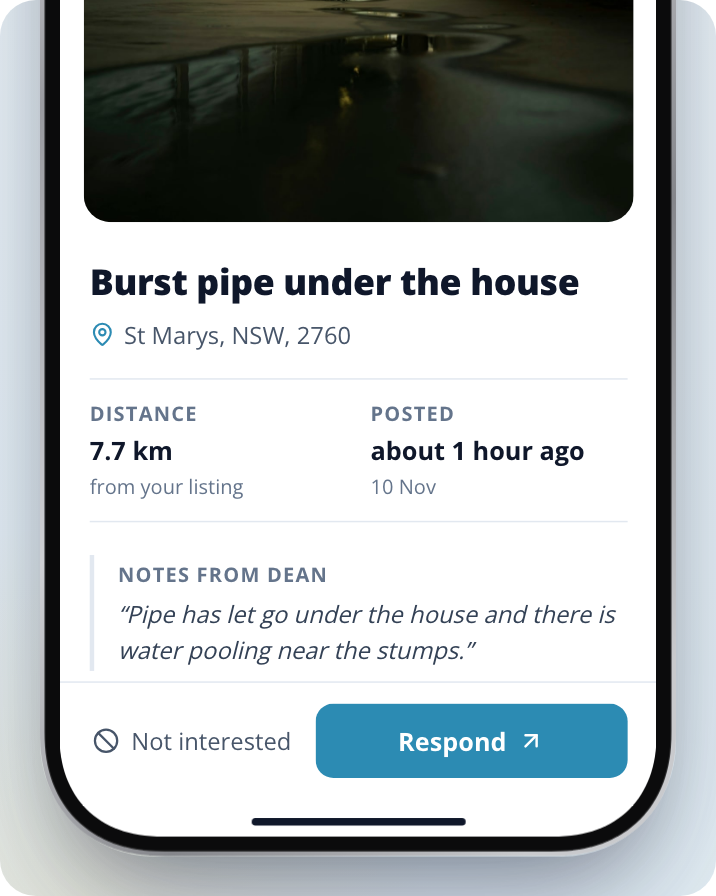
- Go to Insights (in the top bar on a computer, or under Menu > Insights on a phone or in the app) and click on Upgrade to Premium.
Compare the Plans
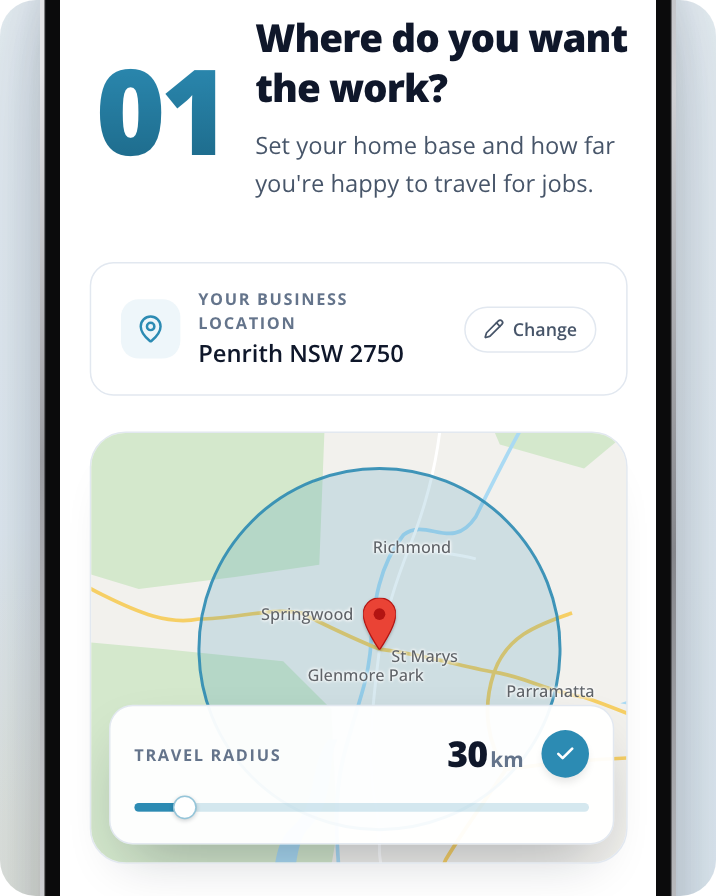
Set where you want the work
Under Where do you want the work?, check your home base and use the slider to set how far you're happy to travel, from 15 km up to 150 km. To open the slider, click on or tap the distance shown on the map (the km figure with a pencil).
Choose your trades
Under What work do you want to quote on?, add the categories you want leads for. The prices update as you change them.
Pick a billing period
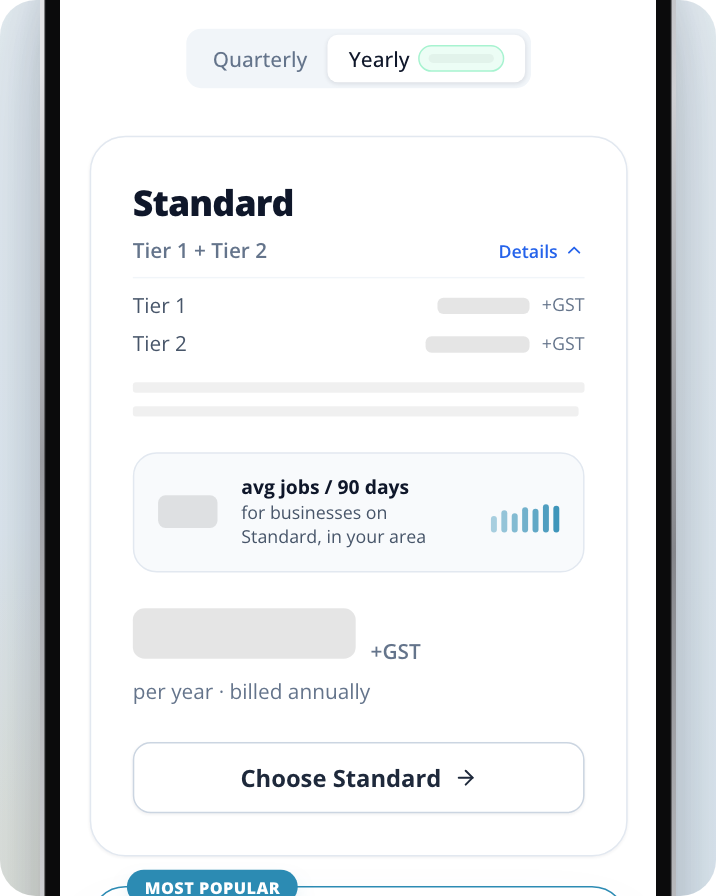
Under Pick the plan that fits., select Quarterly or Yearly, or Monthly if it's shown, to see the price for each plan.
Choose your plan
Click on Choose Standard or Choose Flexi.
What a Premium Plan Includes
There are two Premium plans.
- Standard lets you quote on jobs within 25 km of your business.
- Flexi lets you set a service area of up to 150 km, and you can quote on any job in your selected categories, regardless of distance. Your profile also gets priority placement in our directory.
Each plan card shows:
- The price for the billing period you've selected, plus GST.
- avg jobs / 90 days, the average number of jobs for businesses on that plan in your area over the last 90 days. It's a guide to lead volume, not a guarantee.
Monthly is only offered on Flexi, and only when all your trades are Tier 1. On Monthly you'll see only the Flexi card. Yearly shows how much you save compared with paying quarterly.
Tiers
Your trade sets your tier, and the plan card shows which tier, or mix of tiers, your categories fall into. If your categories span more than one tier, open Details on the plan card to see what each tier adds to the price.
Tailored Packages
If you run several sites, work in a niche trade or need something the plans don't cover, the Tailored packages section of the plan page lets you talk to our team about a plan built for you.
How to Choose the Right Plan
When comparing plans, think about:
- The trades you want leads for, and whether they fall in more than one tier
- How far you're happy to travel: Standard covers up to 25 km, Flexi up to 150 km
Can I Try Service.com.au for Free?
Yes, with a Basic listing. Basic is free and has no end date. At the bottom of the plan page, click on Get the Free Listing.
A Basic listing is a directory listing so homeowners can find your business. It doesn't include free leads, and you can't respond to any lead from a Basic listing, including your first one. When you click on Respond on a lead, you're taken to the plan page to choose a Premium plan.
Money Back Guarantee
All services come with a Money Back Guarantee. If your contact information receives zero clicks by the end of your subscription, your payment will be refunded to your original payment method. You can read more in the Terms & Conditions.
Need Assistance?
If you have questions, contact us at support@service.com.au or call 1300 523 787. Our team is here to help!