Use your Billing section to manage your subscription details and payment information.
1
Open the Billing Menu
Log in to your account and click on the drop-down menu in the top right corner of the page.
2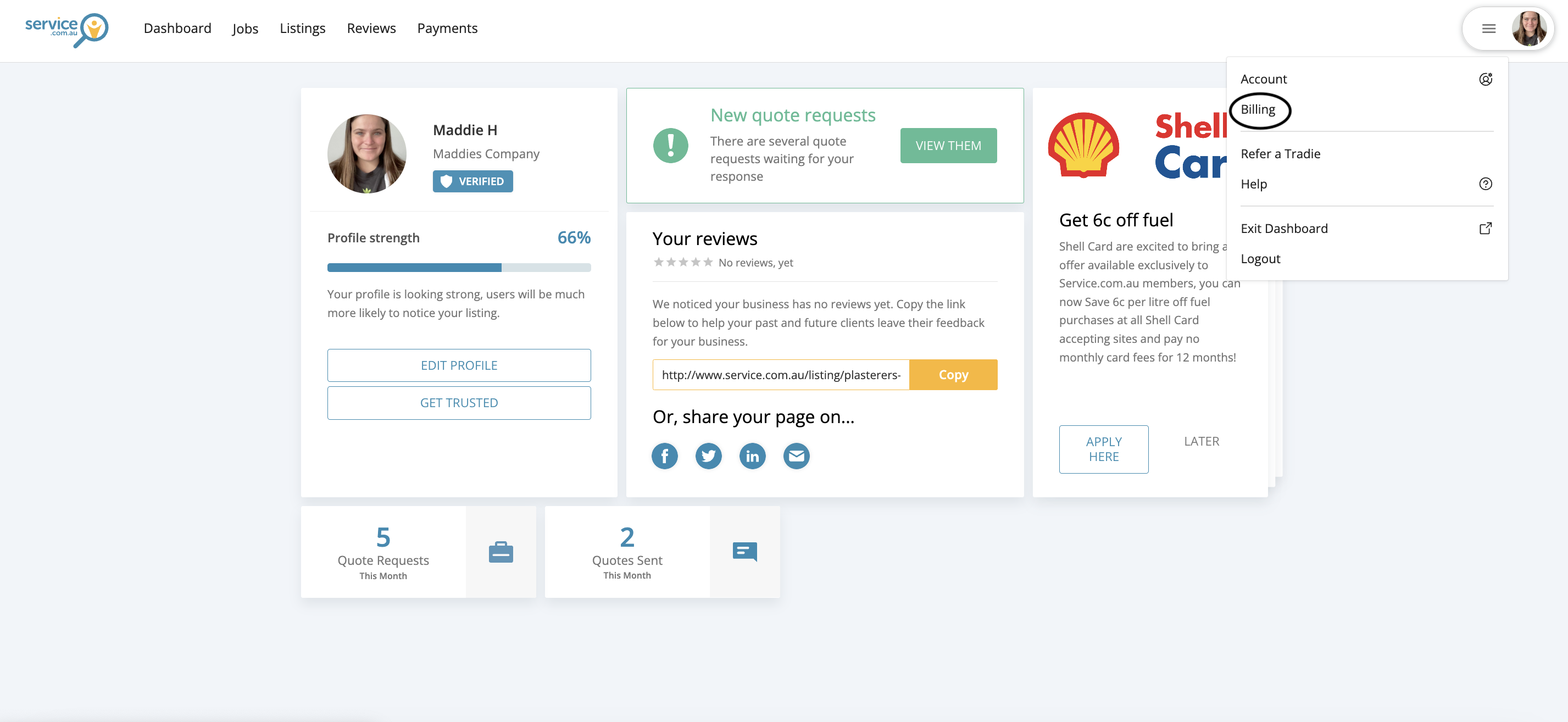
The account drop-down menu in the top right corner with the Billing option visible
Go to Billing
Select Billing from the menu to open your billing settings.
3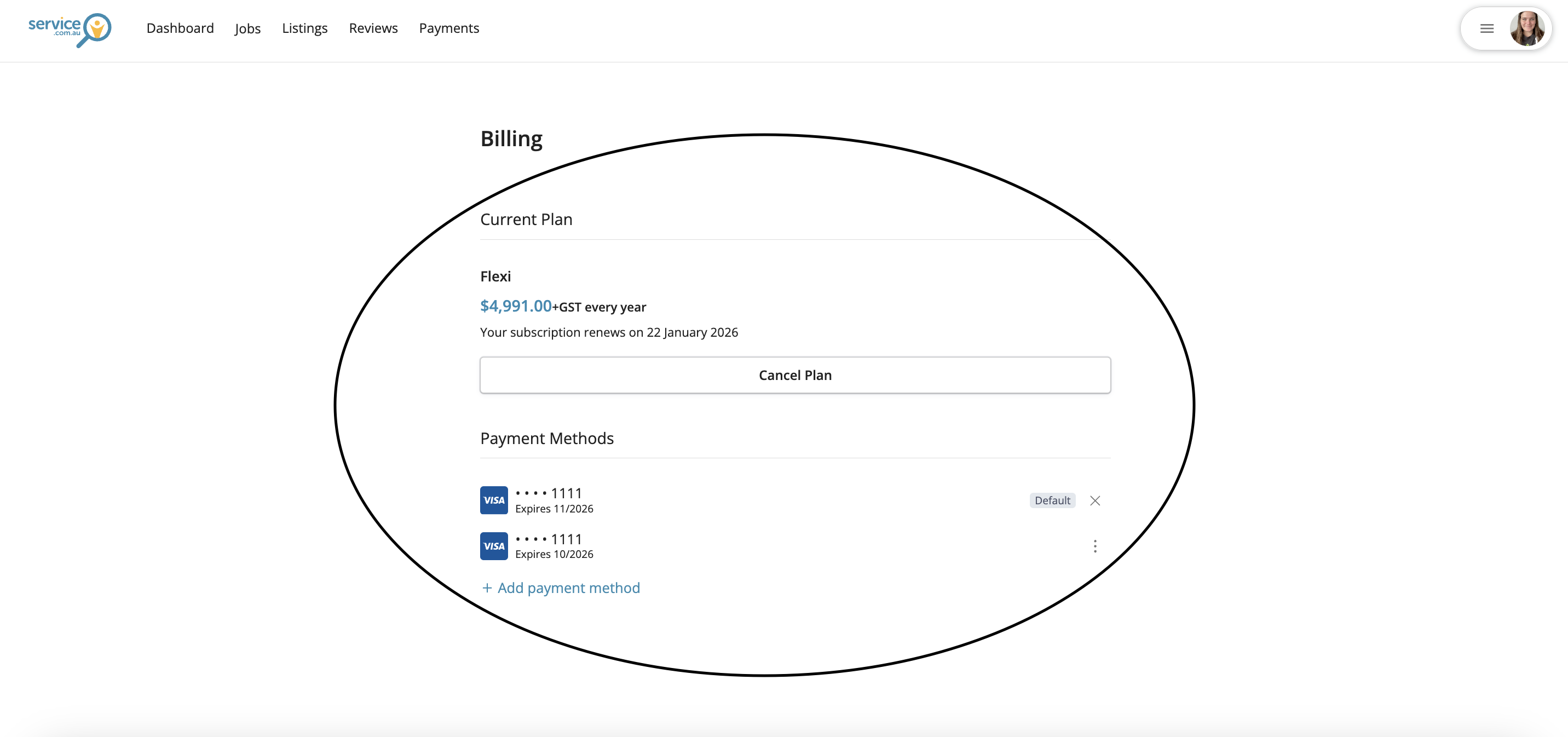
The Billing section showing subscription details, renewal information, and payment options
Review Your Billing Details
In the Billing section, you can view your subscription cost and renewal date, update your payment methods, and cancel your subscription if needed.
Need Assistance?
If you have questions, contact us at support@service.com.au or call 1300 523 787. Our team is here to help!