You can cancel your Premium membership from your account dashboard at any time. If you want to remove a Basic listing or delete your account completely, you’ll need to contact support.
Cancel Your Premium Membership
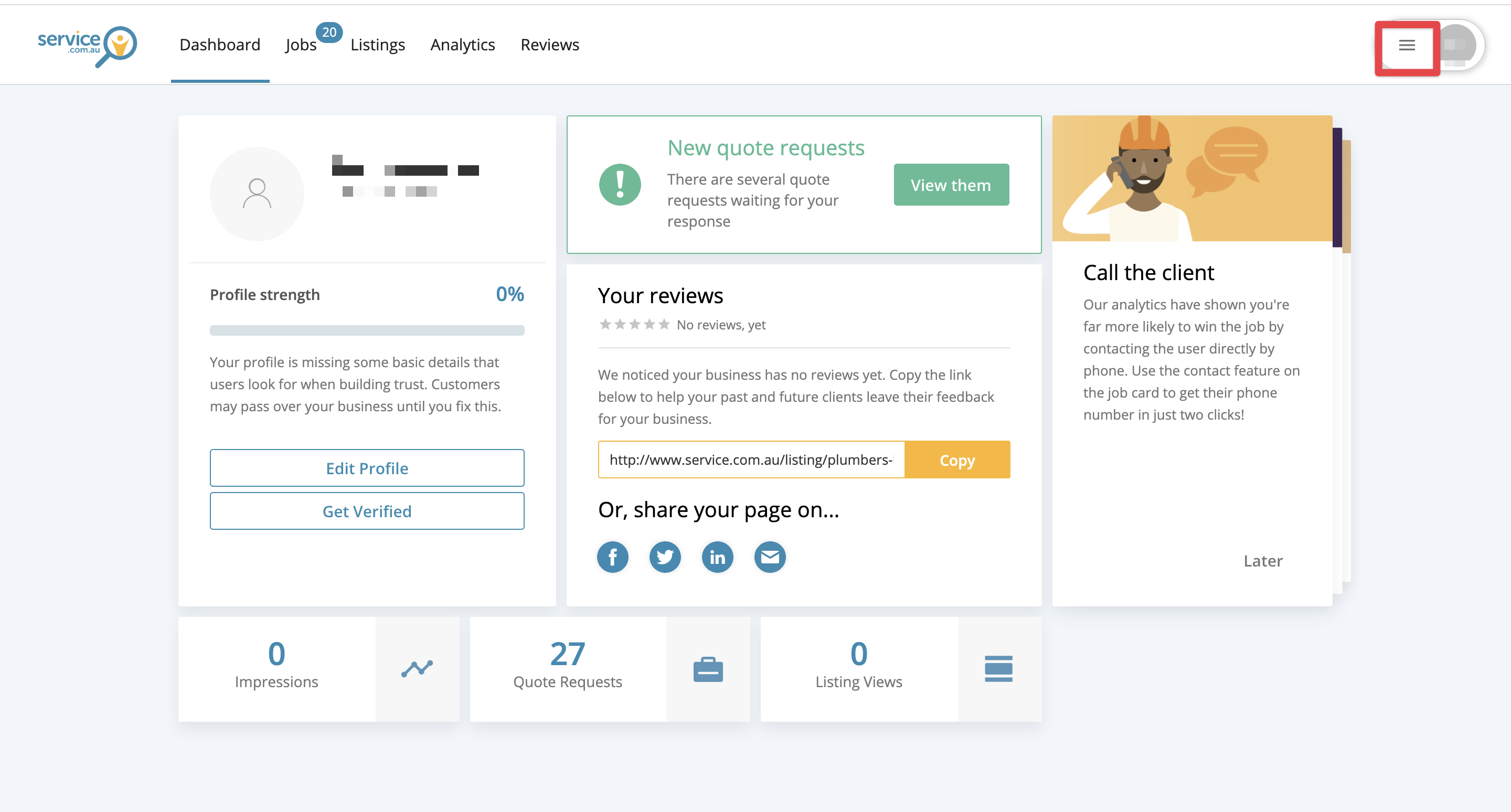
Open the Menu
Log in to your account dashboard and click on the Menu button in the top right corner.
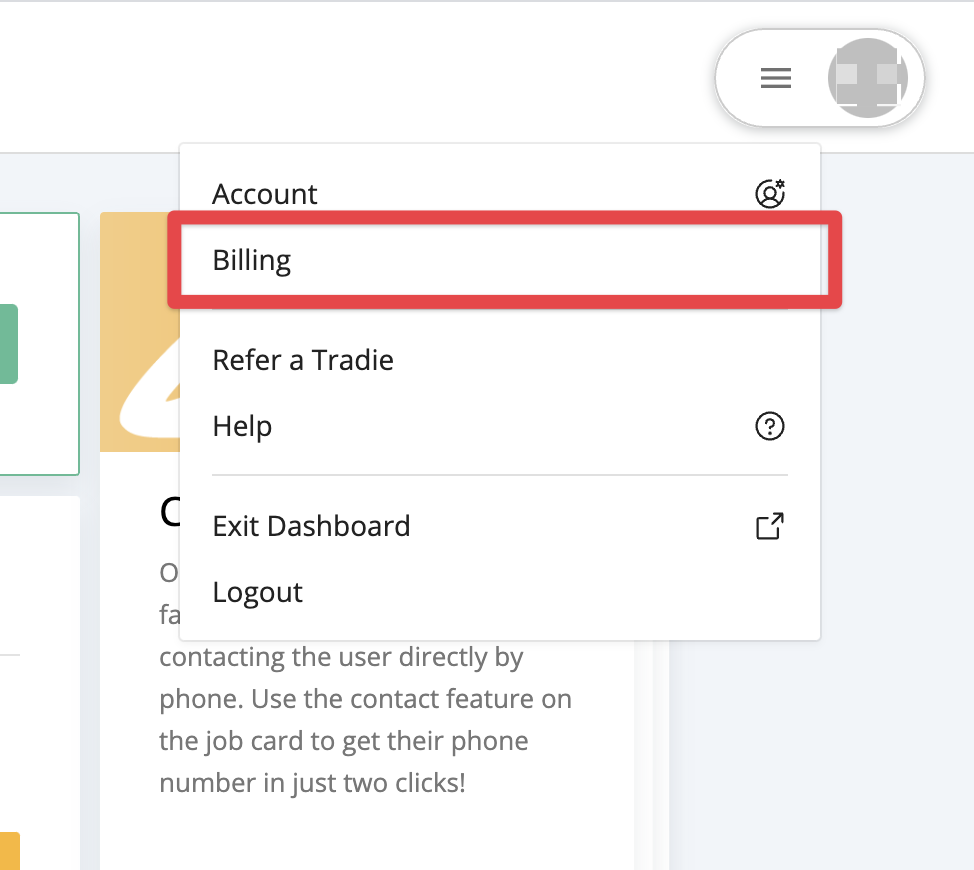
Go to Billing
Select Billing from the menu.
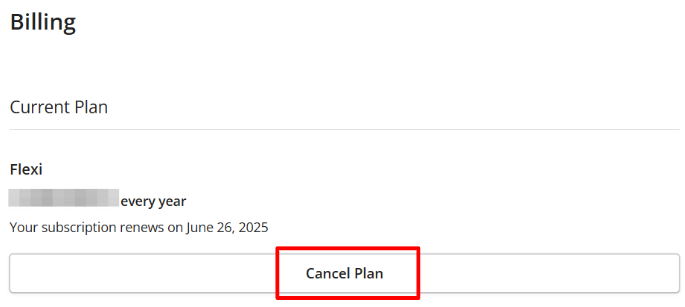
Cancel Your Plan
Under your subscription, click on Cancel Plan.
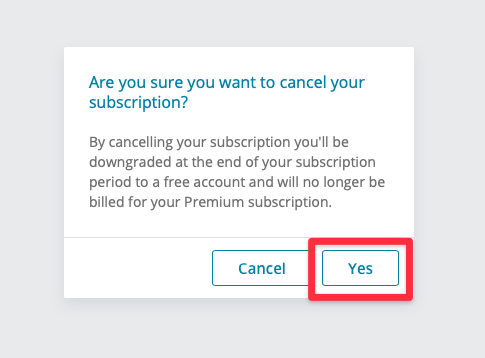
Confirm the Cancellation
Click on Yes to confirm that you want to cancel your subscription.
Check the Confirmation Message
Review the confirmation message that appears at the bottom of your screen.
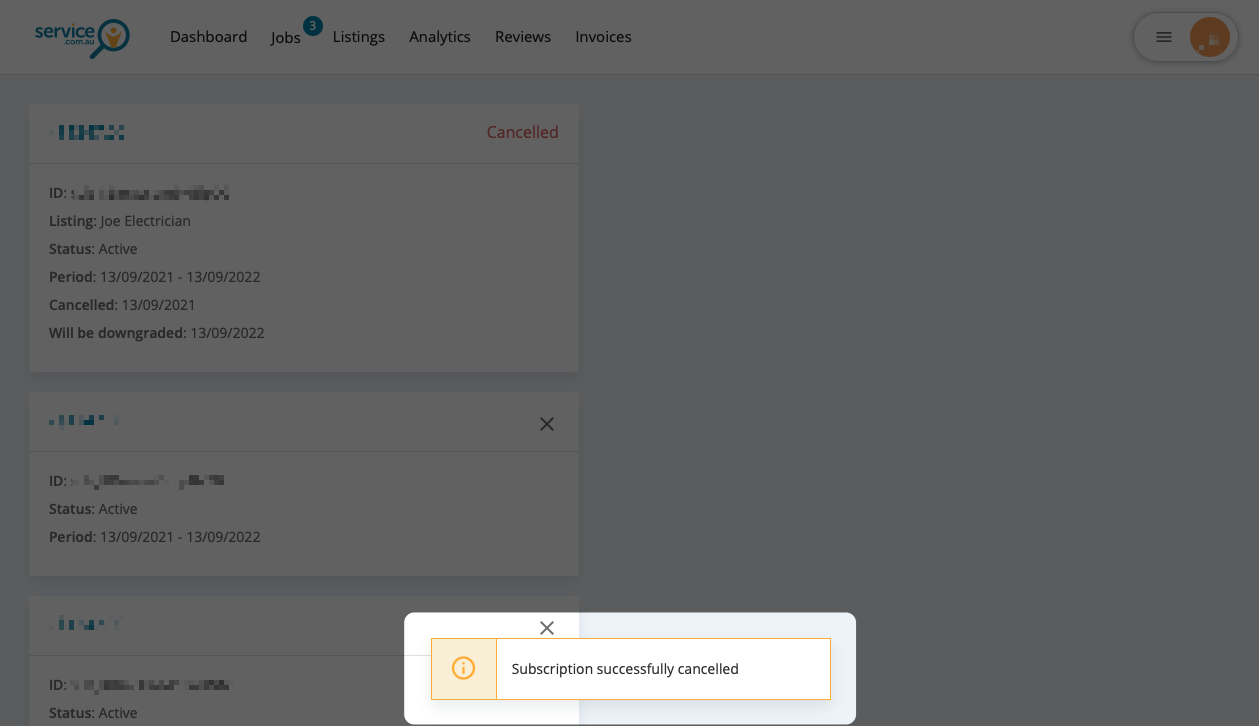
Review Your Expiry Date
View your subscription status to see when your Premium listing will expire.
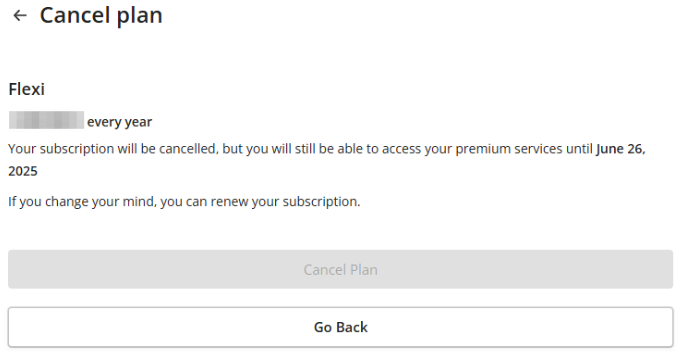
Once your Premium membership expires, your account will automatically return to a Basic listing.
Remove a Basic Listing
If your account is already on a Basic listing and you want it removed, contact us through our contact form.
Delete Your Account Completely
If you want to delete your account and remove your business from our system completely, email support at support@service.com.au.
Need Assistance?
If you have questions, contact us at support@service.com.au or call 1300 523 787. Our team is here to help!