If a tradie makes you feel unsafe, or turns up at your home without calling first, you don't have to let them in or keep talking to them. If you're in immediate danger, call 000. If you've been threatened, you can also report it to the police.
If someone turns up without calling first
A tradie should only come to your home at a time you've agreed with them. If someone arrives unannounced and you're not comfortable, you don't need to open the door or let them start any work. If they won't leave or you feel threatened, call 000.
Once you're safe, contact us and tell us what happened (see below).
Stop hearing from businesses about your job
You don't have to reply to any tradie's messages. You can also stop the job going further. Pause new responses and Close this job only show while your job is Open, Pending or Hired.
Pause new responses
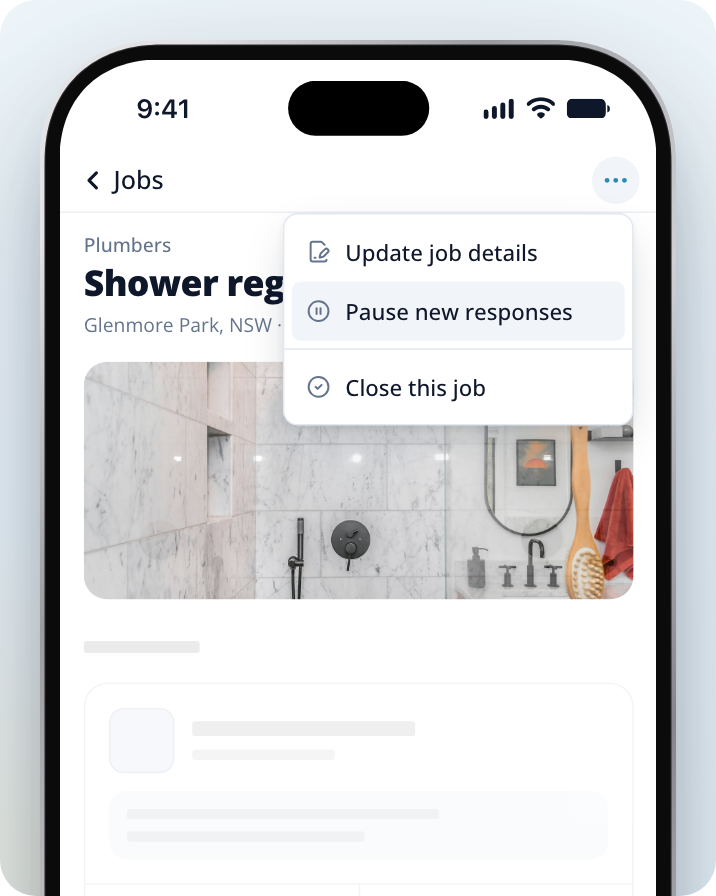
Pausing stops you being notified about new responses and stops the job going to more businesses. Businesses that already have your job can still respond.
Open your job
Go to Jobs and select the job.
Open the job options
Click on the three dots icon at the top of the job.
Pause the job
Select Pause new responses. You can turn it back on later with Start getting responses again.
Close the job
Once it's closed, businesses can't reply to this job or contact you about it.
Open your job
Go to Jobs and select the job.
Open the job options
Click on the three dots icon at the top of the job.
Choose Close this job
Select Close this job.
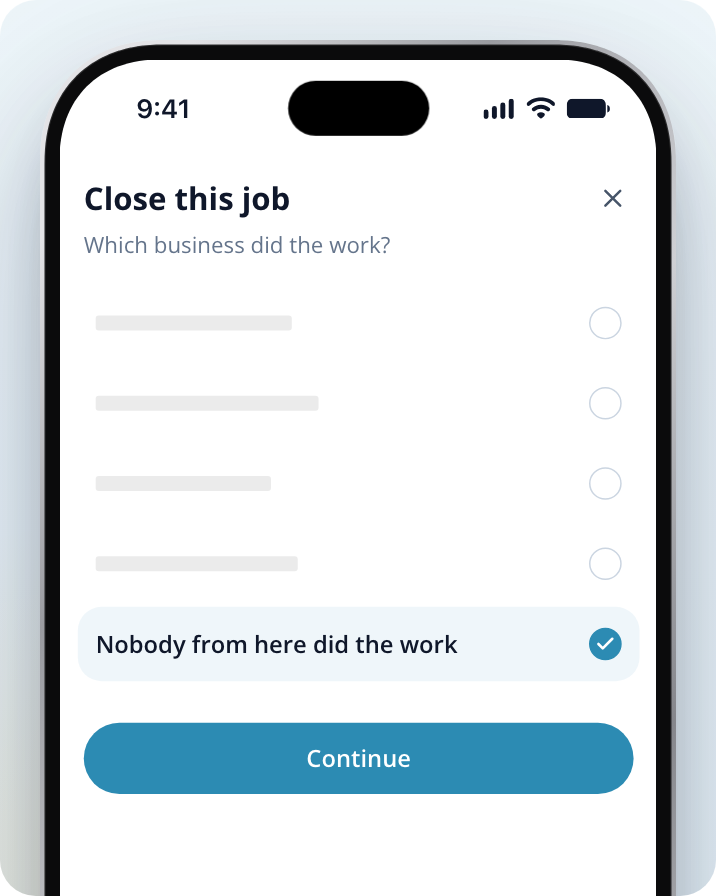
Say nobody did the work
Select Nobody from here did the work, then Continue.
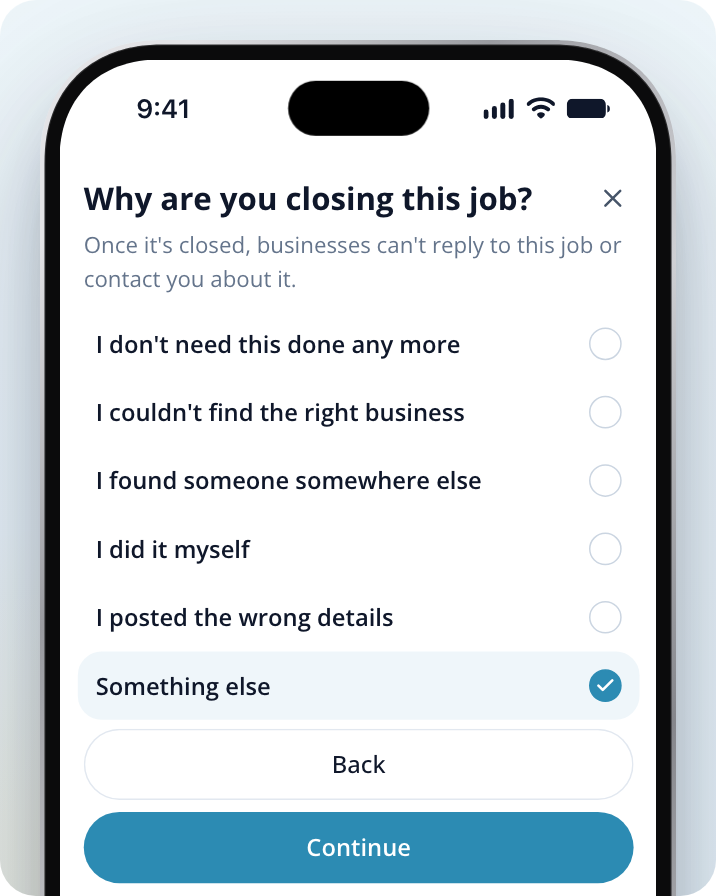
Give a reason
Select the reason that fits, then Continue. If you choose Something else, you can tell us why in your own words before you select Close this job.
Closing a job stops contact through Service.com.au only. A tradie who already has your phone number can still call or text you, so block their number on your phone.
Can I block a business?
You can't block a business yourself. If a tradie has made you feel unsafe, contact us and tell us which business it was and what happened, and we'll look into it.
Tell us what happened
Contact our team with the business's name, the job, and what happened, and we'll look into it. You can use the contact form, email support@service.com.au or call 1300 523 787.
Need Assistance?
If you have questions, contact us at support@service.com.au or call 1300 523 787. Our team is here to help!