You can check a tradie's licence, ABN and reviews on their business profile. The Qualifications & Licences section shows the ABN, licences and insurance details the business has shared, and the reviews show what other homeowners have said. For more detail, read our guide, Tradie profiles, licences & business checks.
Check a Tradie's Licence
Open the tradie's business profile
Go to the business profile of the tradie you're thinking of hiring.
Find Qualifications & Licences
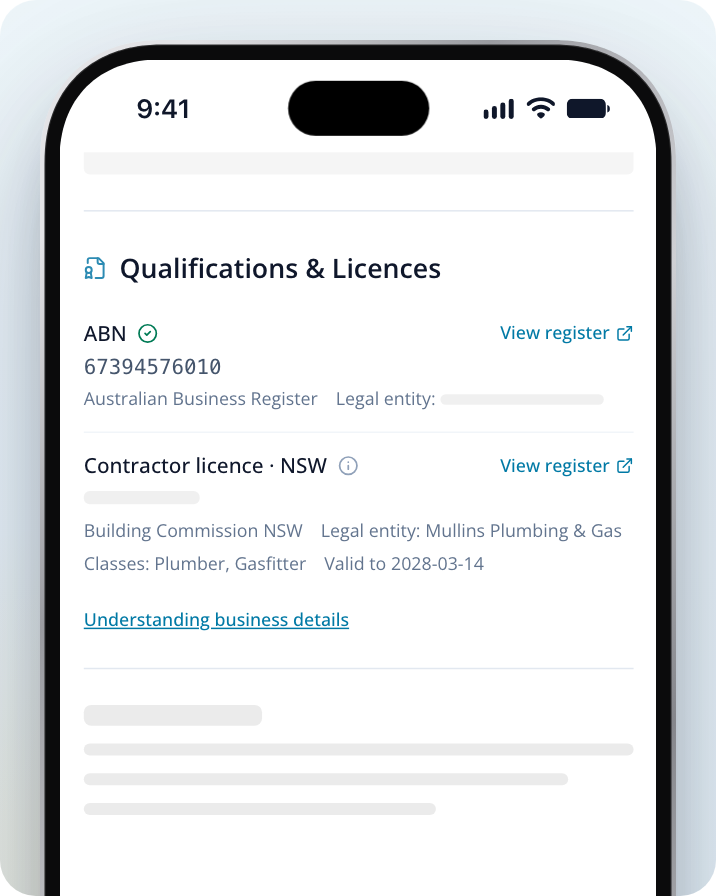
Scroll down to the Qualifications & Licences section. Each licence shows its name and state, the licence number where the business has published it, and the organisation that issued it.
Check who holds the licence
Look for Licensed person or Legal entity under the licence. This tells you whether the licence belongs to a person or to a business entity, along with their name. Ask the business which licensed person or entity will do your work.
Check the classes and expiry date
Where the business has added them, you'll see Classes (the types of work the licence covers) and a Valid to date.
Open the register
Click on View register beside the licence to open the official licence register in a new tab. Compare the licence number and holder name, then check the current status and the classes of work listed.
Check the icon beside each entry
Tap or hover over the icon beside an entry to see where the detail came from. Provided by the business means the business supplied it and Service.com.au hasn't checked it independently.
If you can't find a matching record on the register, ask the business about it before you go ahead. If the profile shows "No business credentials have been published yet", the business hasn't added these details to its profile. Ask the business for them before you hire.
What the ABN Check Does and Doesn't Do
When a business adds its ABN through our business details form, we look it up on the Australian Business Register (ABR). If the ABN matches an active registration, the profile shows Verified on and the date, followed by "with ABR", when you tap or hover over the icon beside the ABN. If the ABN isn't active, it won't show on the profile.
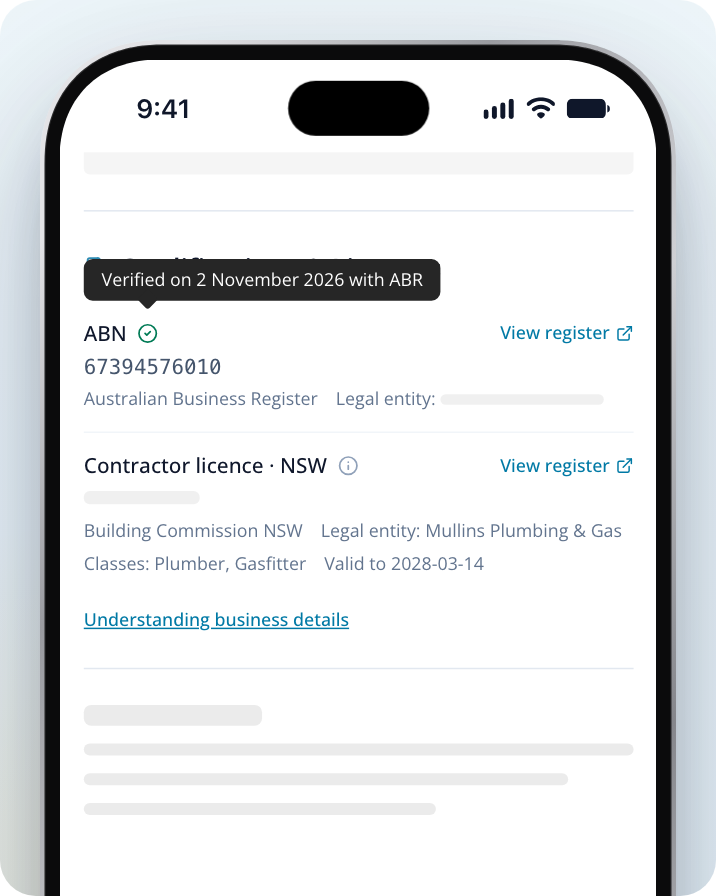
The ABN check:
- confirms the ABN shown matched an active registration on the date it was checked
- gets the registered legal entity name, so you can compare it with the name on your quote or invoice
The ABN check doesn't:
- confirm the tradie holds a trade licence (licences are separate, so check them on the register)
- check insurance cover
- show what the register says today (open the register to see the latest information)
Insurance Details
Some profiles list insurance the business has shared, such as the insurer, the Cover amount and a Valid to date. Service.com.au hasn't checked these details independently. Ask the business for a current certificate of insurance and make sure it covers the business doing your job.
What the Badges Mean
The Verified, Trusted and Recommended badges at the top of a profile show how complete the profile is and how active the business has been. They don't confirm a current licence or insurance cover, and they're separate from the ABN check.
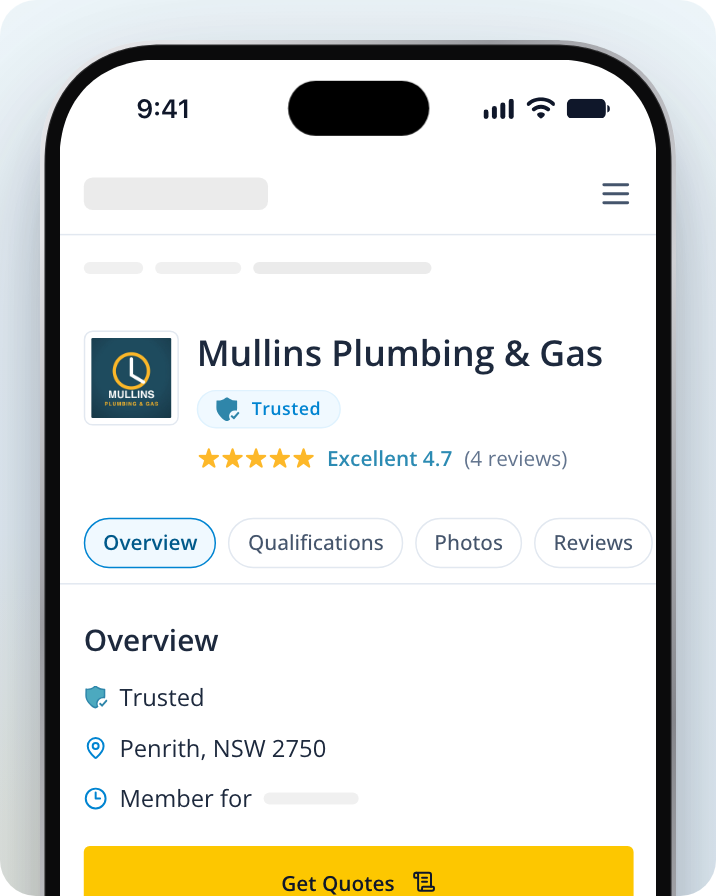
- Verified: the business has added an ABN that passes our number-format check, a business description, a logo, an owner profile photo and at least one photo of past work.
- Trusted: the business has the Verified badge, at least 2 photos of past work and at least 2 reviews from homeowners, and has completed at least half of a customer service questionnaire.
- Recommended: the business meets the requirements for both badges above, and also has at least 3 photos of past work, at least 5 reviews from homeowners and a Facebook or website link, and has completed the whole customer service questionnaire.
Reading Reviews
Read what each review says as well as the star rating. Comments about communication, timing and the finished work can help you decide what to ask the tradie. Each review shows its date. Reviews from jobs on Service.com.au say Verified after it, and some include a reply from the business.
Reviews with a globe icon came from around the web (tap or hover over the icon to see this). They come from other sources, not from jobs on Service.com.au, so check the date and source when you compare them with other reviews.
Before You Hire
Ask for a written quote that sets out the work, price and timing. Confirm the business details and ask any questions about licences or insurance before you agree to the job.
If something on a profile looks wrong, contact us with the profile link and the detail you'd like us to look at.