Yes, an upgrade link can be genuine. Our team can email or text you a one-tap link to upgrade your Basic listing, and it takes you to our plan page already logged in. Nothing is charged when you open it. You only pay if you choose a plan and finish paying at checkout.
If you're unsure about a message, you can ignore the link. Log in at service.com.au the usual way, or contact us and we'll tell you whether we sent it.
What the Genuine Link Looks Like
A member of our team sends it to the owner of one Basic listing at a time. We send it by email, by text or both.
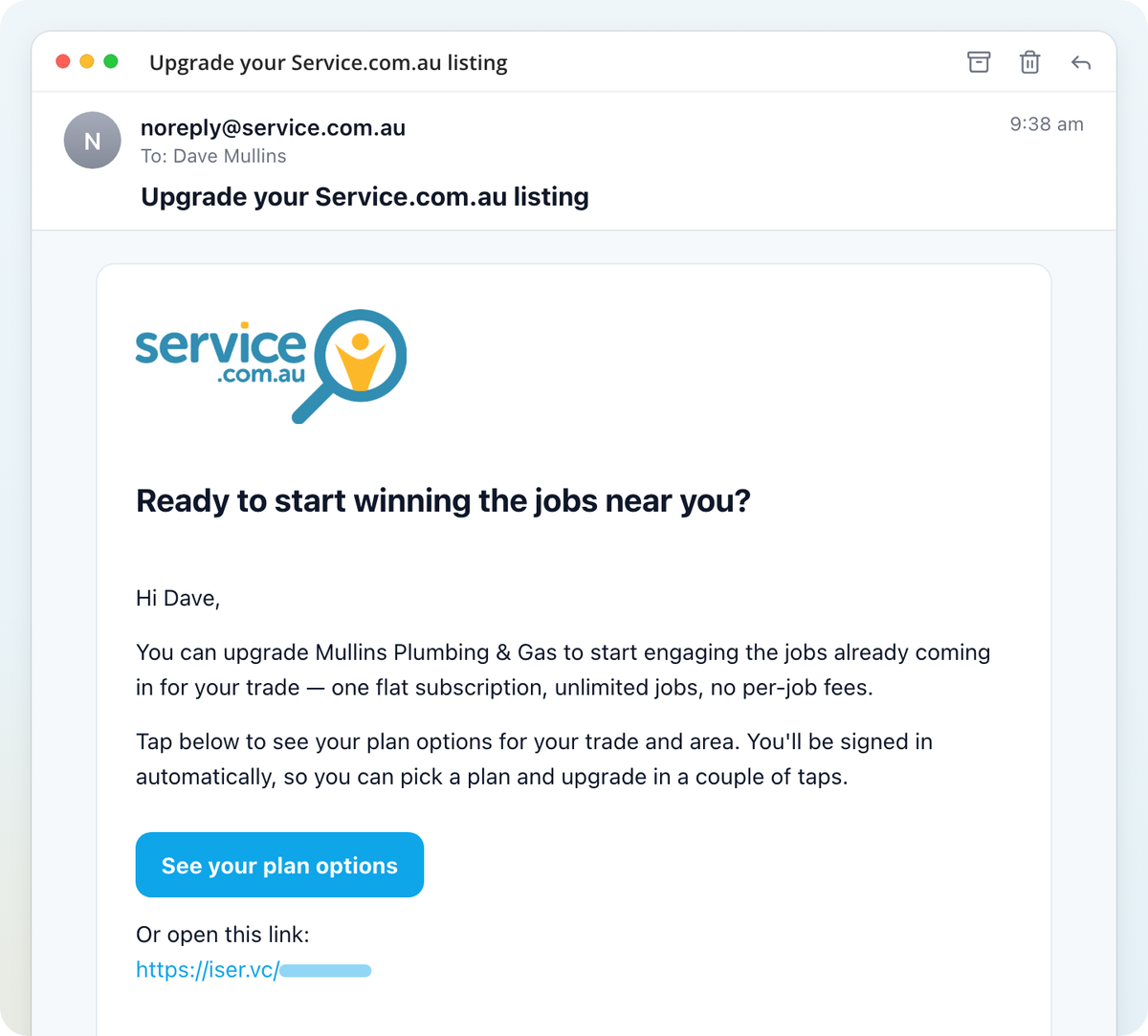
- By email: it comes from noreply@service.com.au and the subject is Upgrade your Service.com.au listing, sometimes followed by Annual pricing or Quarterly pricing. The email greets you by first name, names your business and asks "Ready to start winning the jobs near you?". It has one button, See your plan options (or See your annual plan options / See your quarterly plan options), with the same link written out underneath.
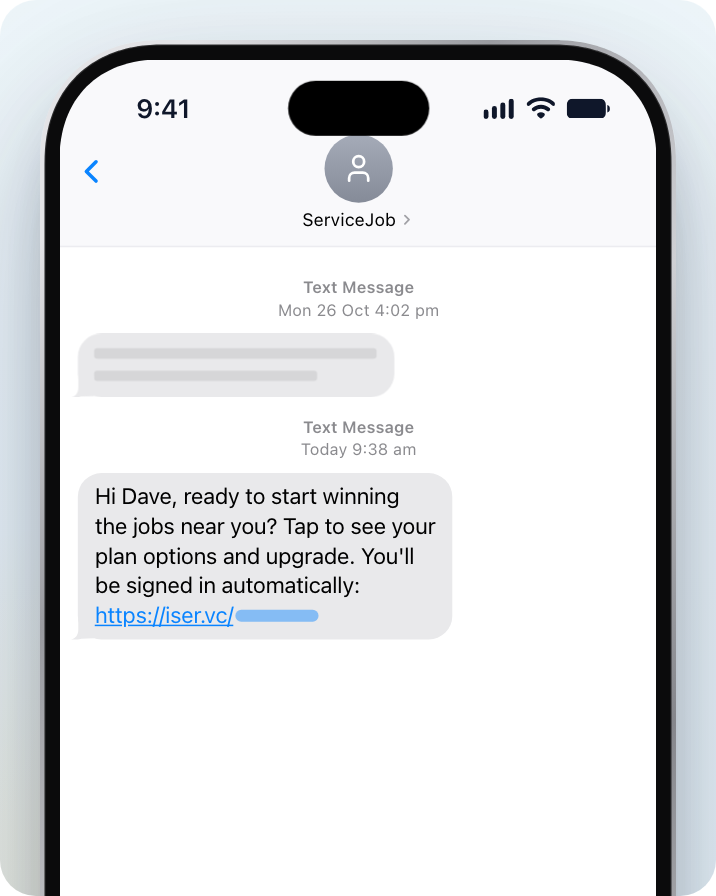
- By text: it comes from ServiceJob and reads "Hi [your first name], ready to start winning the jobs near you? Tap to see your plan options and upgrade. You'll be signed in automatically:" followed by the link.
In both the email and the text, the link starts with https://iser.vc/. That's our short-link address, and the link signs you in automatically.
The email and text don't ask for your card details, password or a code. They only link to the plan page.
We only send upgrade links to businesses on a Basic listing. If your listing is already on Premium, or you've never spoken to our team about upgrading, treat the message with care and contact us.
Where the Link Takes You
The link logs you in automatically and opens the plan page for your listing. You don't need to enter a password.
The page has these sections:
- Where do you want the work? Your home base and how far you'll travel.
- What work do you want to quote on? Your trades.
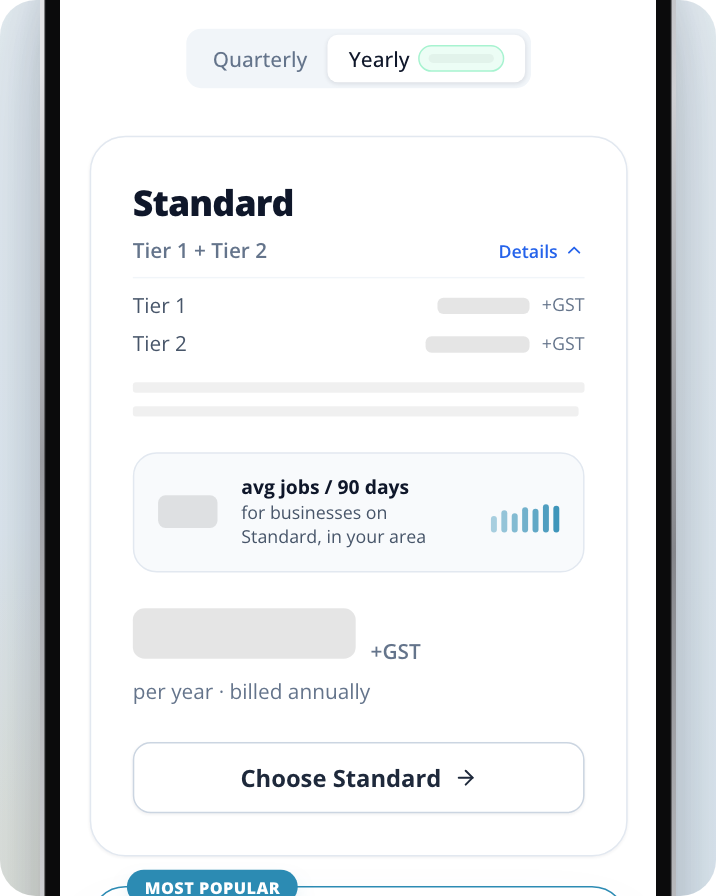
- Pick the plan that fits. The plans and prices for your trades and area.
If the message mentioned annual or quarterly pricing, the page shows that billing period only. Otherwise you can switch between the billing periods on the page.
Because the link logs you in, don't forward it to anyone else. It stops working after 7 days or after it has been opened a few times. If the link has expired or been used too many times, log in at service.com.au and go to the plan page from there.
Nothing Is Charged Until You Pay at Checkout
Opening the link and looking at plans costs nothing. To upgrade:
Check your service area and trades
Review the Where do you want the work? and What work do you want to quote on? sections and change anything that's wrong.
Choose a plan
Select the button on the plan you want, for example Choose Flexi. This saves your trades and travel distance to your listing and opens the checkout page.
Pay at checkout
Enter your payment details on the checkout page to finish upgrading. You're charged only when you complete this step. Once it's done, you land in your Inbox.
If you leave the checkout page without paying, you go back to the plan page and nothing is charged.
If you'd rather stay on Basic, select Get the Free Listing at the bottom of the page. This saves your trades and travel distance and takes you to your dashboard without charging you.
Not Sure It's From Us?
You can ignore the link. Go to service.com.au yourself, log in, and upgrade from there if you want to. Or contact us and we'll check the message for you.
Need Assistance?
If you have questions, contact us at support@service.com.au or call 1300 523 787. Our team is here to help!