Use the Billing section in your account to add a new payment method and manage your default card.
1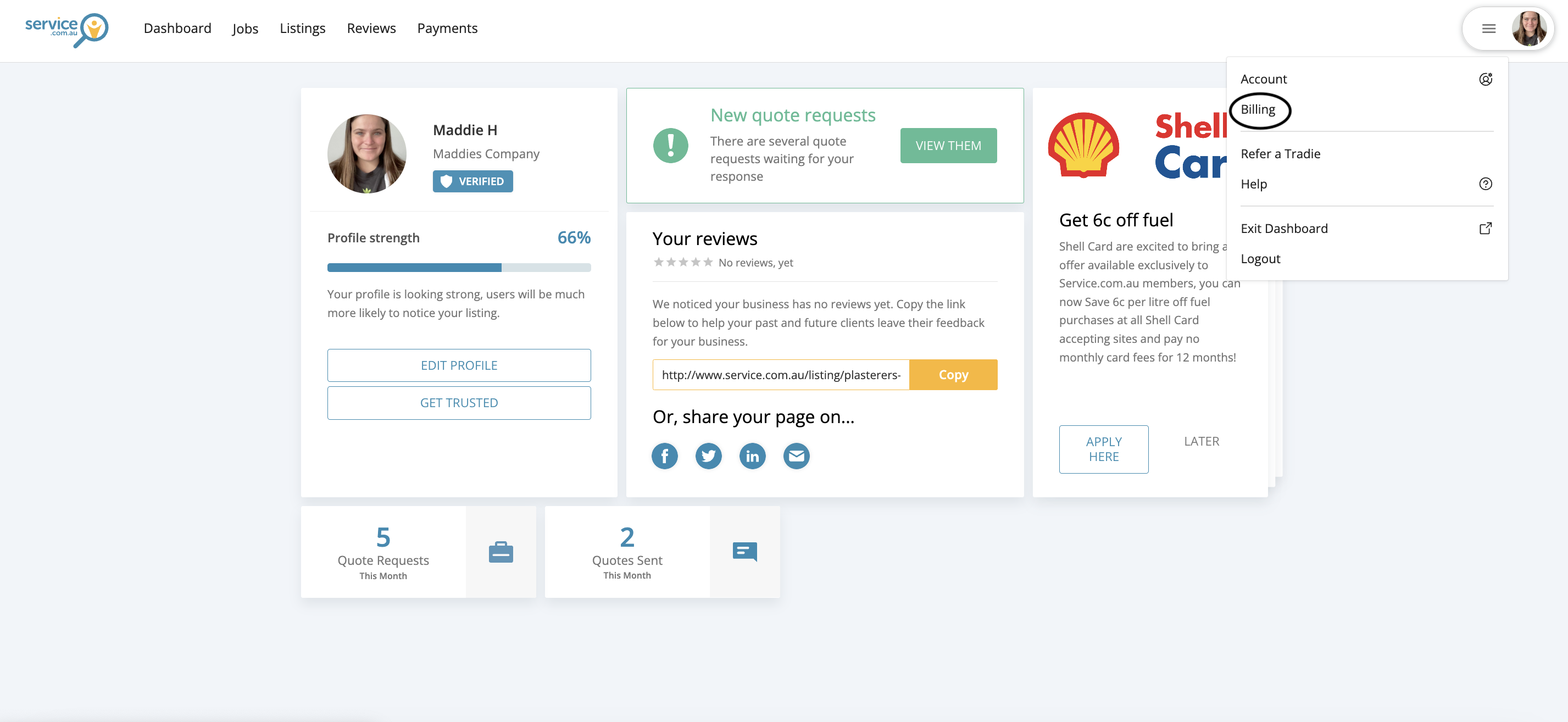
The account menu with the Billing option available in the top right-hand corner
Open Billing
Log in to your account, click on the menu in the top right-hand corner, and select Billing.
2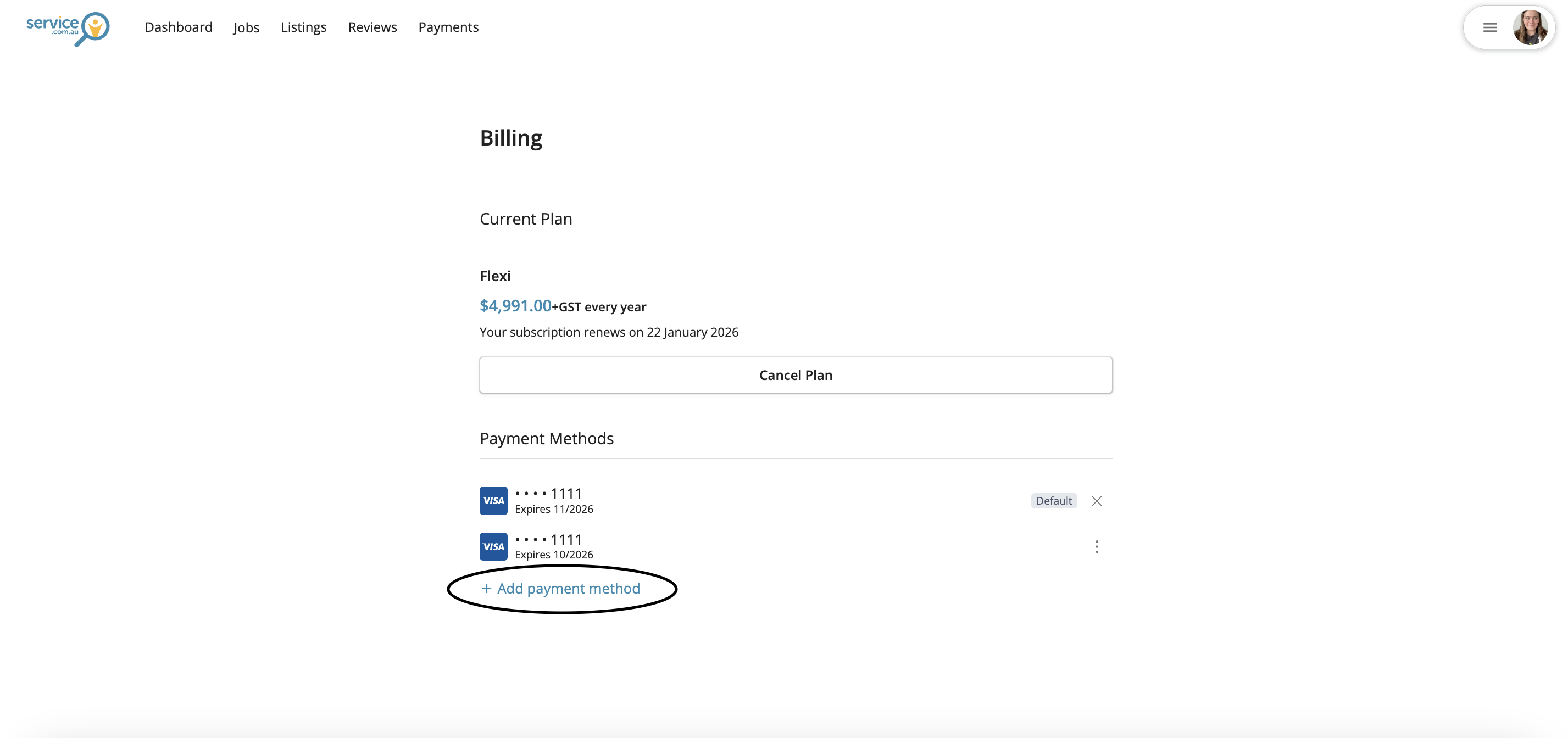
The Billing page showing the Add Payment Method button and card entry form
Add a Payment Method
Click on Add Payment Method, then enter your new card number, expiry date, and CVC.
3
Save Your New Card
Select Add to save the new payment method to your account.
4
Check Your Default Card
Your newly added card will automatically become your default payment method.
5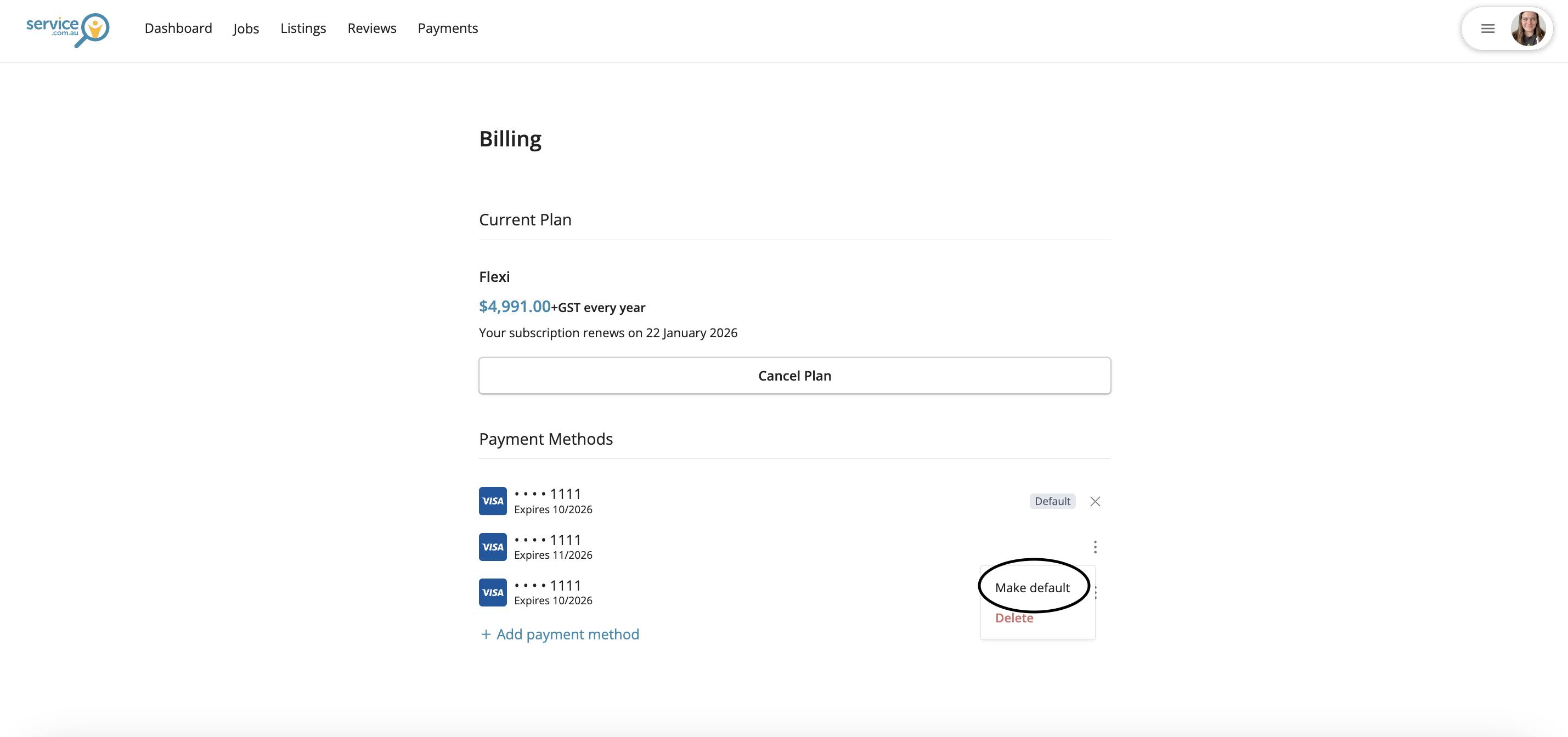
The payment methods list with the three-dot menu used to set a different default card
Change the Default Card
To use a different saved card, click on the three dots next to that payment method and select the option to make it your default.
Need Assistance?
If you have questions, contact us at support@service.com.au or call 1300 523 787. Our team is here to help!