Use the Billing section in your account to check your subscription details, update your payment method, or cancel your membership.
1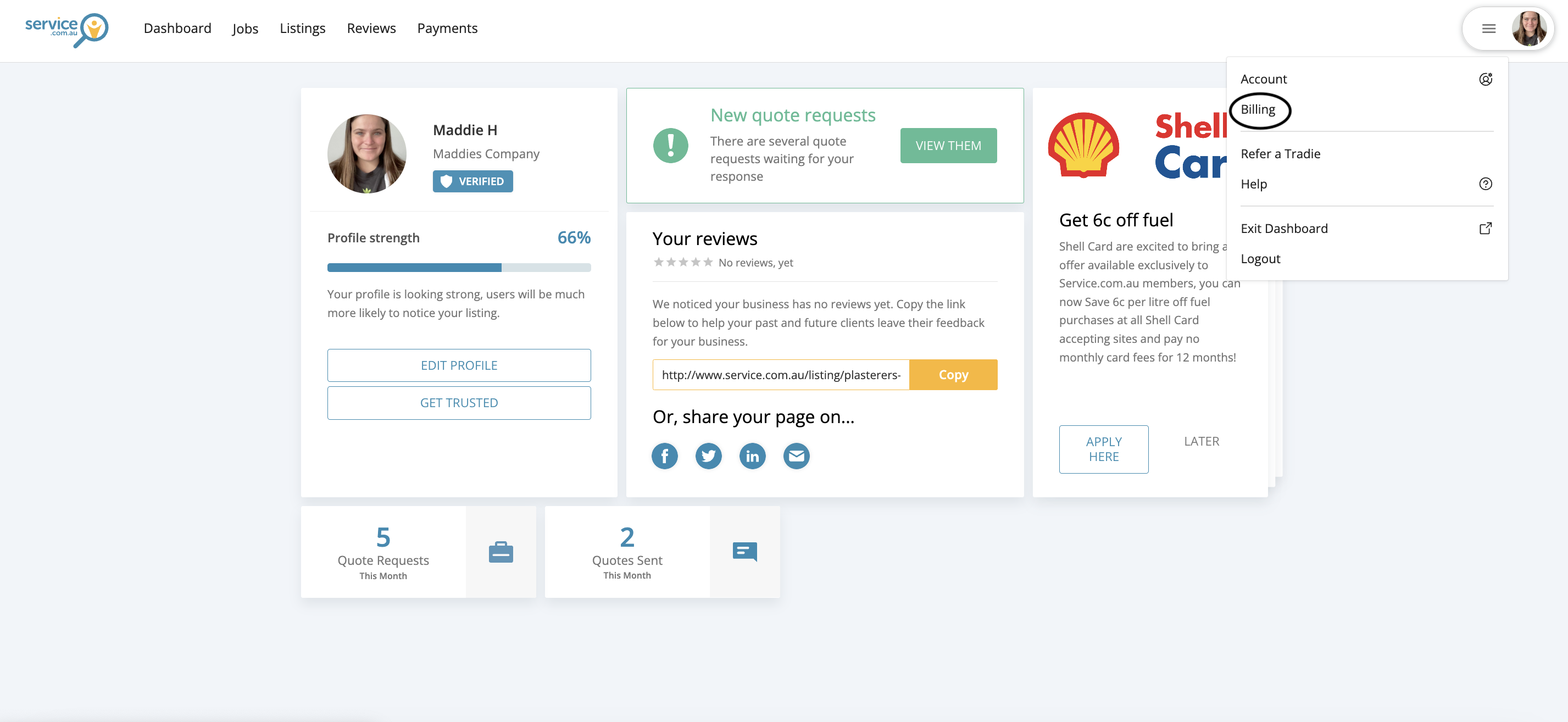
The account drop-down menu in the top right corner with the Billing option visible
Open Billing
Log in to your account, click on the drop-down menu in the top right corner, and select Billing.
2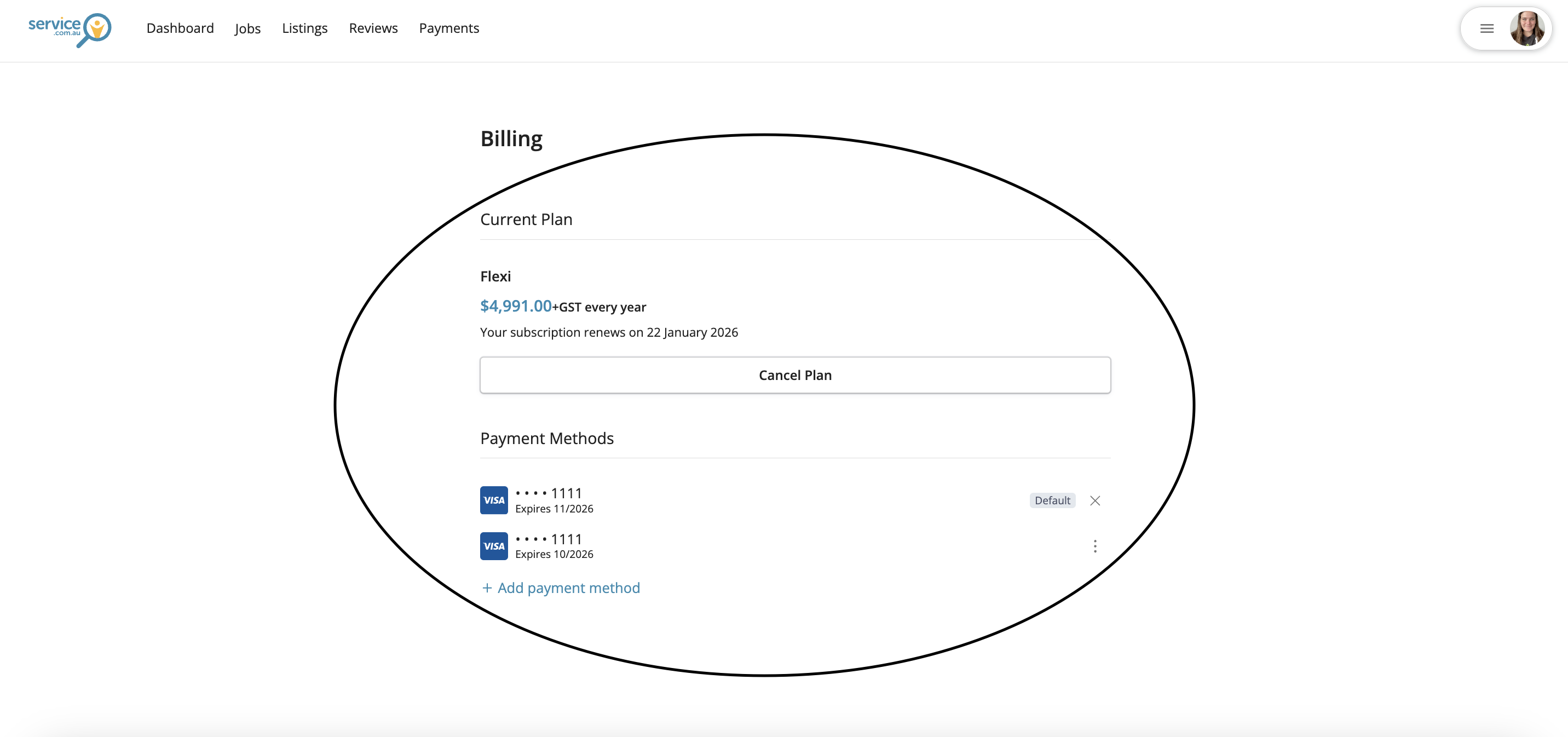
The Billing page showing subscription details, renewal information, and payment options
Review Your Subscription Details
In Billing, you can view your subscription cost and renewal date.
3
Update Your Payment Method
In the same Billing section, you can update your payment method to keep your account active.
4
Cancel Your Subscription
If needed, you can also cancel your subscription from the Billing section.
Need Assistance?
If you have questions, contact us at support@service.com.au or call 1300 523 787. Our team is here to help!