Your Premium membership is a subscription that renews automatically until you cancel it. To stop your membership or subscription auto-renewing, cancel your plan from Billing before your renewal date. You keep Premium until that date and aren't charged again, unless your plan shows Overdue (see below).
Why Was I Charged for a Renewal?
When you sign up for Premium, you agree to our trade terms, which set up your subscription to renew automatically. Each renewal is charged to the card marked Default under Payment methods in Billing. You don't need to approve each renewal again.
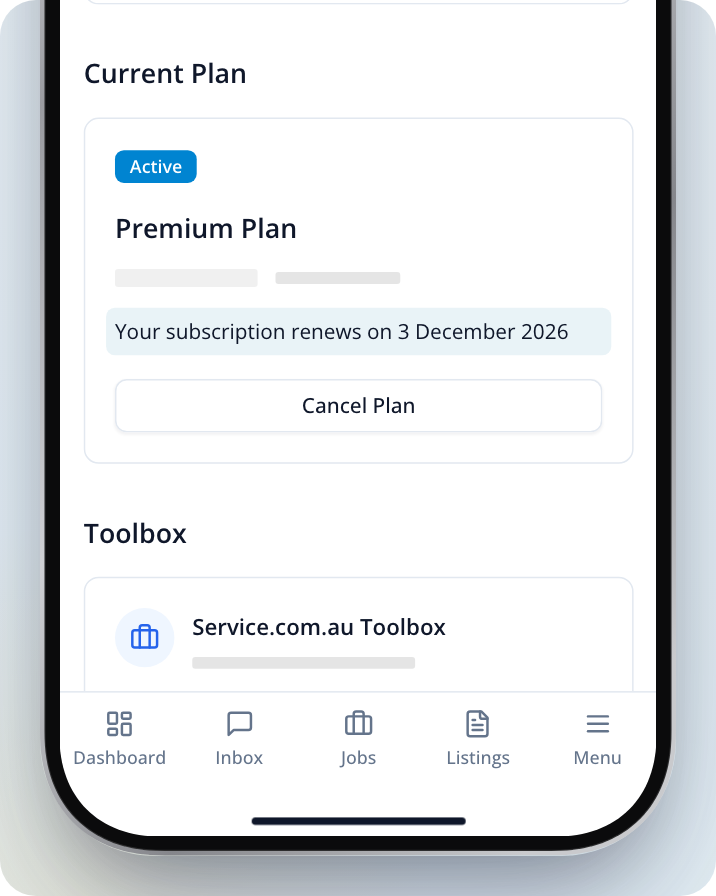
To see when your next renewal is due, go to Billing. Your plan shows Your subscription renews on followed by the date.
When Do We Remind You Before a Renewal?
If you pay quarterly or yearly, we remind you twice before your subscription renews:
- An email to your account's email address 30 days before your renewal date.
- A text message to your mobile 7 days before your renewal date.
Monthly plans renew too often for a reminder each time, so they don't get these reminders. If you've already cancelled, you won't get a reminder either.
How to Stop Your Membership Renewing Automatically
Open Billing
On a computer, log in, click on the menu icon in the top right corner, then select Billing. On a phone, tap Menu in the bottom bar, then Billing. In the app, tap the Menu tab, then Billing.
Select Cancel Plan
Find your Premium plan and Click on Cancel Plan.
Check your plan details
The Cancel Subscription page shows the date you'll keep your Premium benefits until. Click on Cancel Plan to continue.
Confirm the cancellation
You can tell us why you're cancelling, then Click on Confirm cancellation. To change your mind at this point, Click on Keep subscription.
After you cancel, your plan in Billing shows Cancelled and You will lose access to your premium benefits on followed by your renewal date. You won't be charged again.
If you see Account managed manually instead of your plan, our team set up your subscription for you. Use Call now or Contact us on that screen and we'll make the change.
If Your Plan Shows Overdue
If a renewal payment didn't go through, your plan in Billing shows Overdue. To keep Premium, Click on Pay outstanding invoice and pay the invoice.
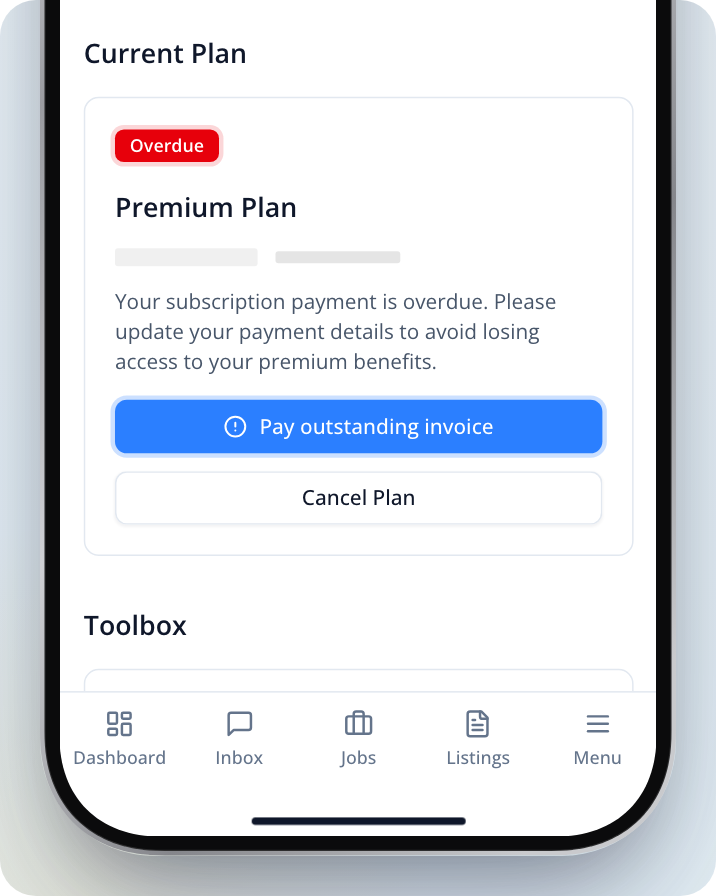
If Pay outstanding invoice is greyed out, call us on 1300 523 787 and we'll help you pay it.
If you cancel a plan that's overdue, it ends straight away rather than on your renewal date. An overdue plan can't be reactivated.
Changed Your Mind?
If you've cancelled and want to keep Premium, you can reactivate your plan before your renewal date.
Open Billing
Go to Billing the same way as above.
Select Reactivate Plan
Find your cancelled plan and Click on Reactivate Plan.
Confirm on Reactivate Subscription
The Reactivate Subscription page shows the date your plan will renew. Click on Reactivate Plan to confirm.
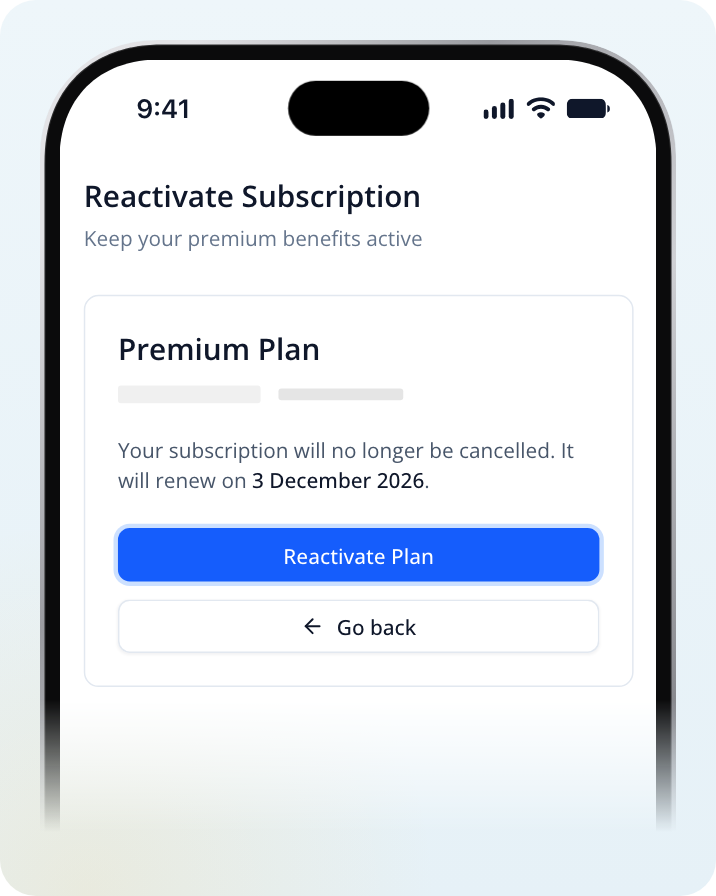
You'll see "Subscription reactivated successfully" and go back to Billing. Your subscription then renews as normal.
Can I Get a Refund?
To ask about a refund, contact us or use the details below.
Changing the Card You Pay With
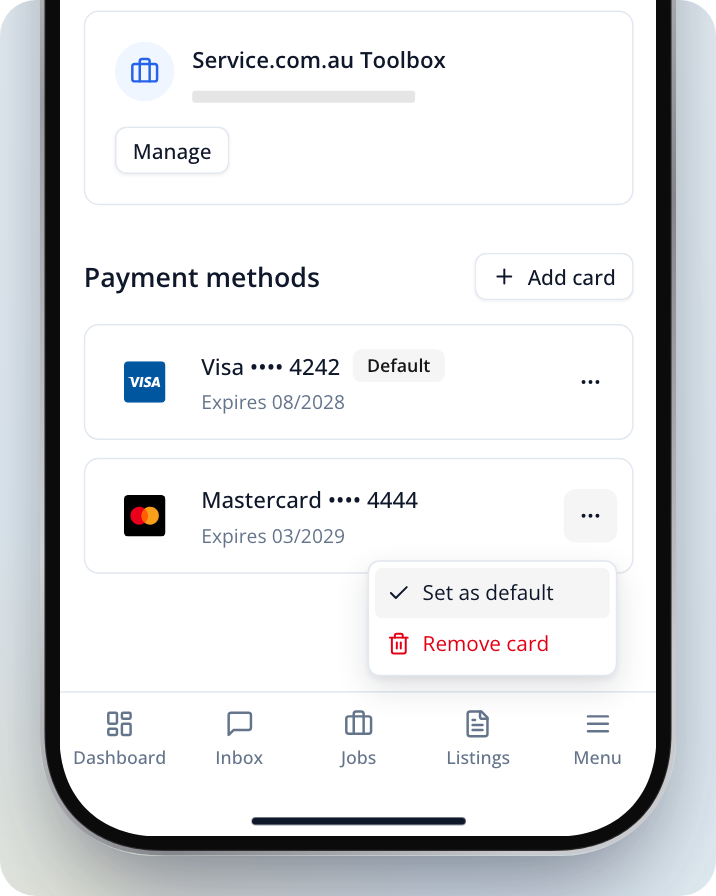
Renewals are charged to the card marked Default under Payment methods in Billing.
Add a new card
In Billing, Click on Add card, enter your card, leave Set as default payment method ticked, then Click on Add card.
Or use a card you've already saved
Open the saved card's menu and Select Set as default.
Need Assistance?
If you have questions, contact us at support@service.com.au or call 1300 523 787. Our team is here to help!