You can't pay an overdue membership balance in instalments, extend your membership or change your membership renewal date yourself in Billing. Contact our team to talk it through. You can use Request a callback on your Billing page, or call us on 1300 523 787.
Can I pay an overdue membership balance in instalments?
There's no option in Billing to split an overdue balance into smaller payments. If your payment is overdue, your Billing page says "Your subscription payment is overdue." Pay outstanding invoice opens the unpaid invoice so you can pay it in full.
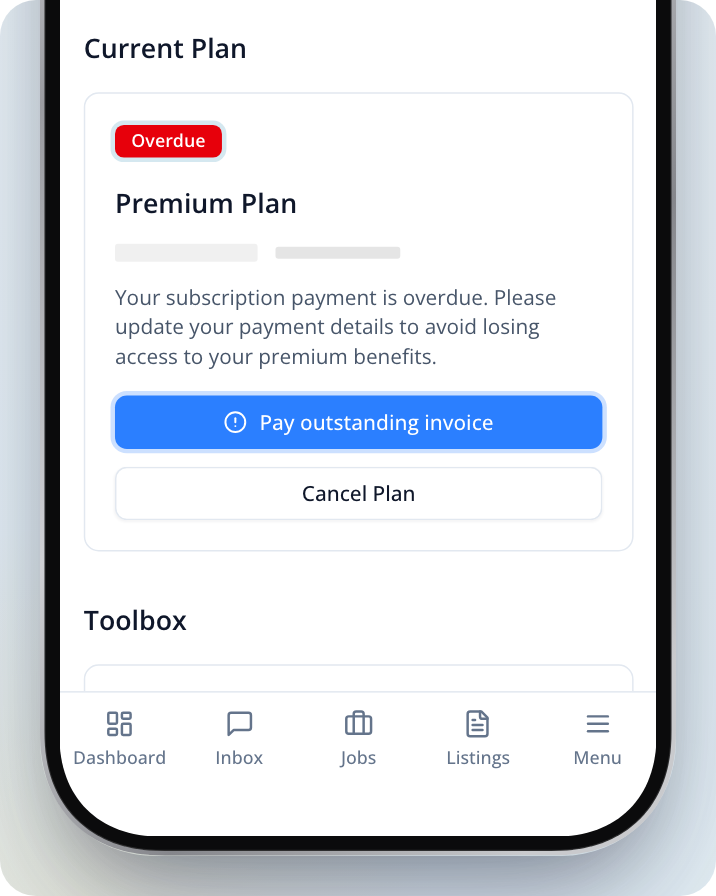
If you can't pay it all at once, contact our team before you pay so we can talk through your options.
Can my membership be extended if I didn't get enough leads?
You can't extend your membership or change its expiry date yourself. If you didn't get the leads you expected, request a callback or call us and tell our team what happened.
How do I change my membership renewal date?
You can see your renewal date in Billing, where your plan reads "Your subscription renews on" followed by the date. There's no option to change it yourself. Contact our team if you'd like to talk about moving it.
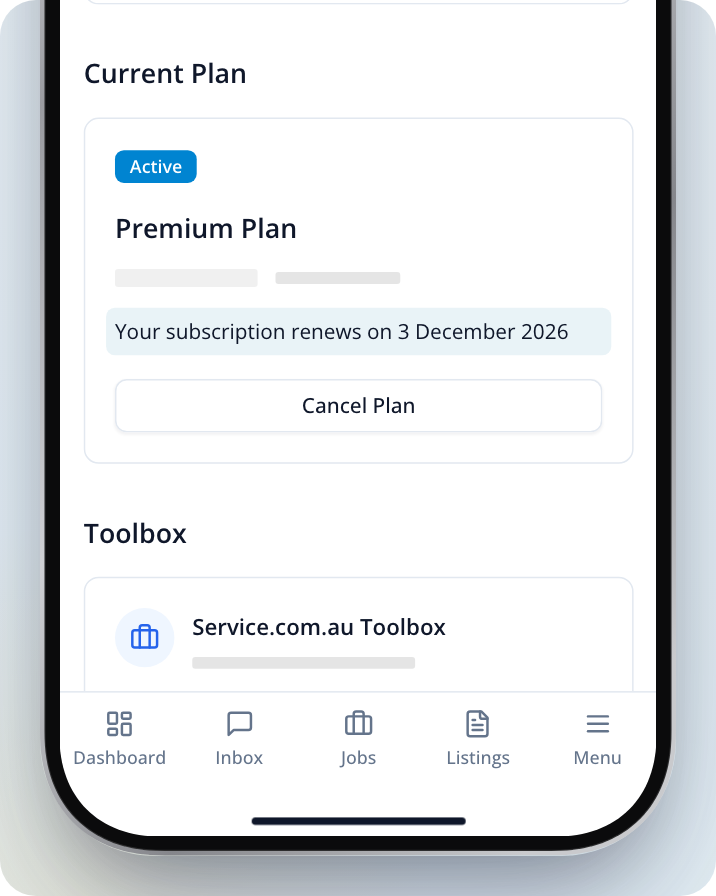
If your Billing page shows Account managed manually, our team set up your account. Contact us for any change to your subscription or billing.
Ask our team for a callback
Open Billing
Log in to your account. On a computer, click on the menu icon in the top right corner and select Billing. In a phone browser, tap Menu in the bottom bar and select Billing.
Find the callback card
At the top of the page, find Want to discuss your plan?. If you have more than one business, select the one you'd like to talk about under Business.
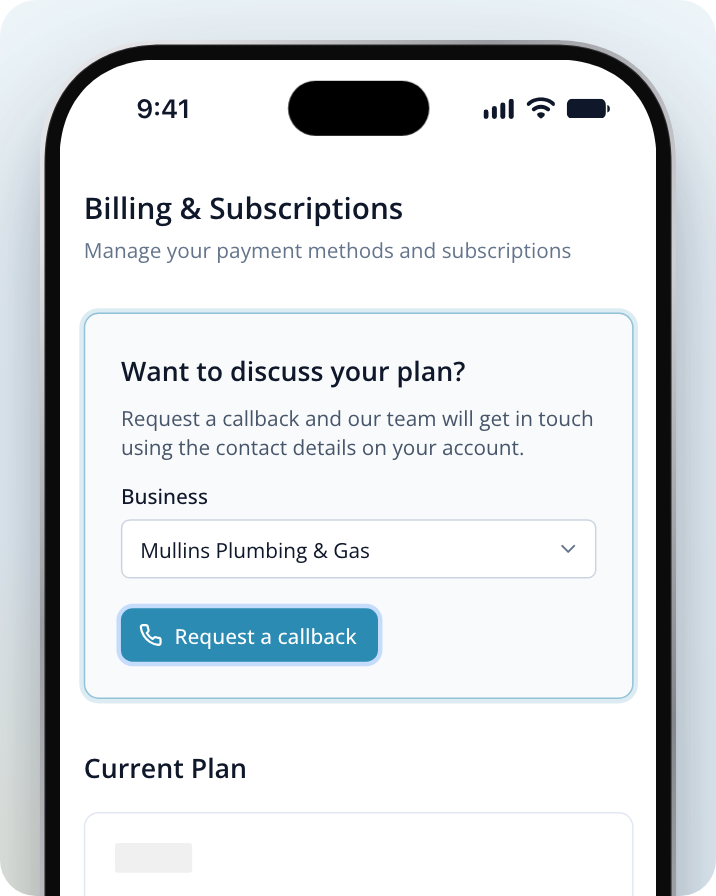
Request a callback
Click on Request a callback. Our team will contact you using the contact details on your account.
Once you've sent it, the card shows the date you asked for a callback, so you don't need to send another request for 30 days. If you need help sooner, contact us.
Need Assistance?
If you have questions, contact us at support@service.com.au or call 1300 523 787. Our team is here to help!