You can't see the homeowner's phone number or email on a Basic listing. Only a Premium listing can see them, and only after you respond to the lead.
On a Basic listing
A Basic listing is free. You can see the leads that come in, but you can't respond to them, and the homeowner's phone number and email stay hidden.
On a lead you'll see two buttons:
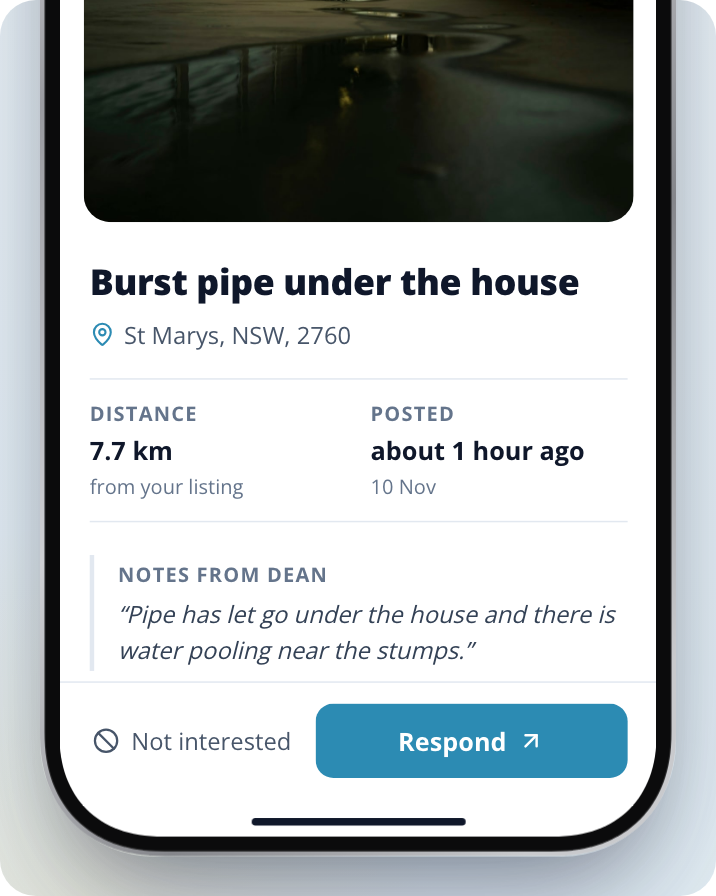
- Respond takes you to the plan page, where you can upgrade to Premium.
- Not interested passes on the lead.
How to see contact details
Upgrade to Premium
Open a lead and click on Respond. This takes you to the plan page, where you can choose a Premium plan. For more detail, see How to Upgrade Your Membership in the help centre.
Respond to the lead
On a Premium listing the button reads Respond now. Click on Respond now, write your message and select Send response. If a lead is outside what your plan covers, the button reads Respond or Set target category instead.
Find the contact details in the conversation
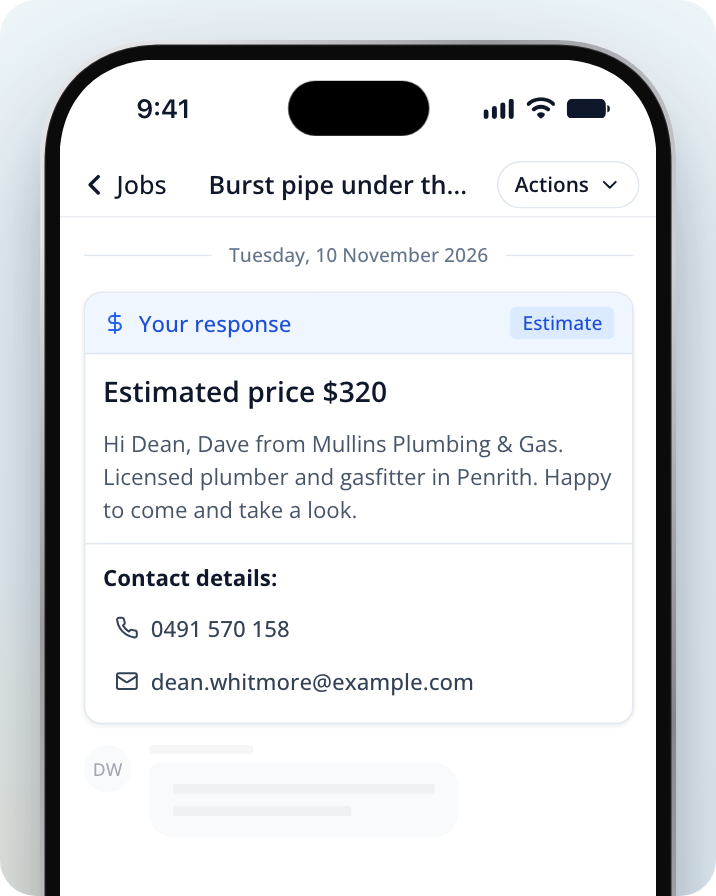
Open the job in Jobs and select Messages. If your response unlocked them, the homeowner's phone number and email show under Contact details: on your response in the conversation. The job's Overview header also shows the phone number, with Call, SMS and Email buttons.
If you can't see the contact details
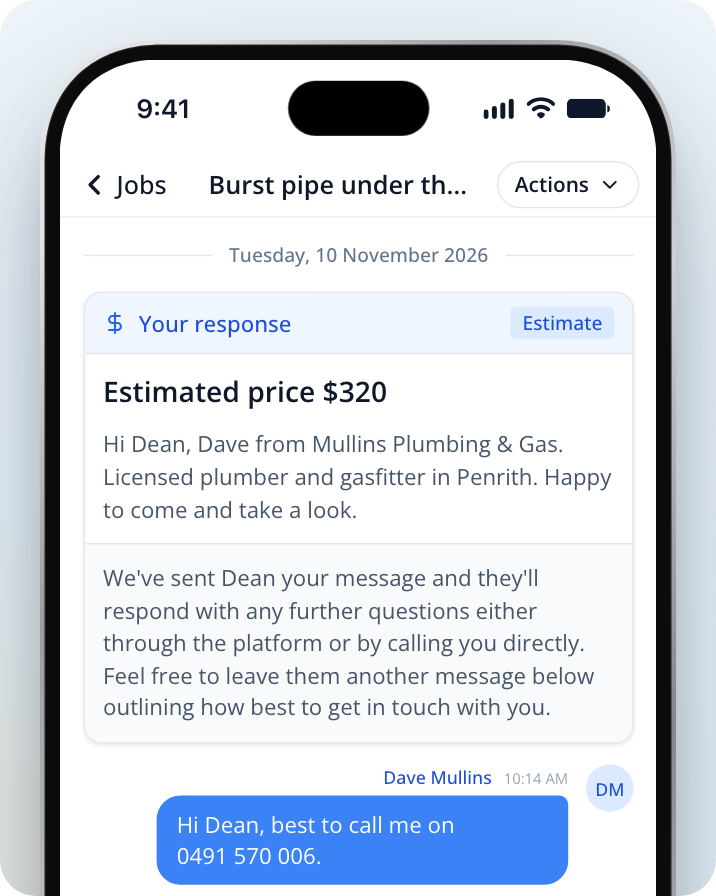
You can still contact the homeowner. Your response shows a note that the homeowner has your message, and that they can reply in the conversation or call you directly. Send them another message in the conversation saying how best to get in touch with you, such as your phone number.
Need Assistance?
If you have questions, contact us at support@service.com.au or call 1300 523 787. Our team is here to help!