If no tradies have responded to your job or you haven't received any quotes, no business near you in that trade has replied to it yet. You can't make a tradie respond, but you can make your job easier to quote on and look for tradies near you in other ways.
How long it takes to hear from tradies
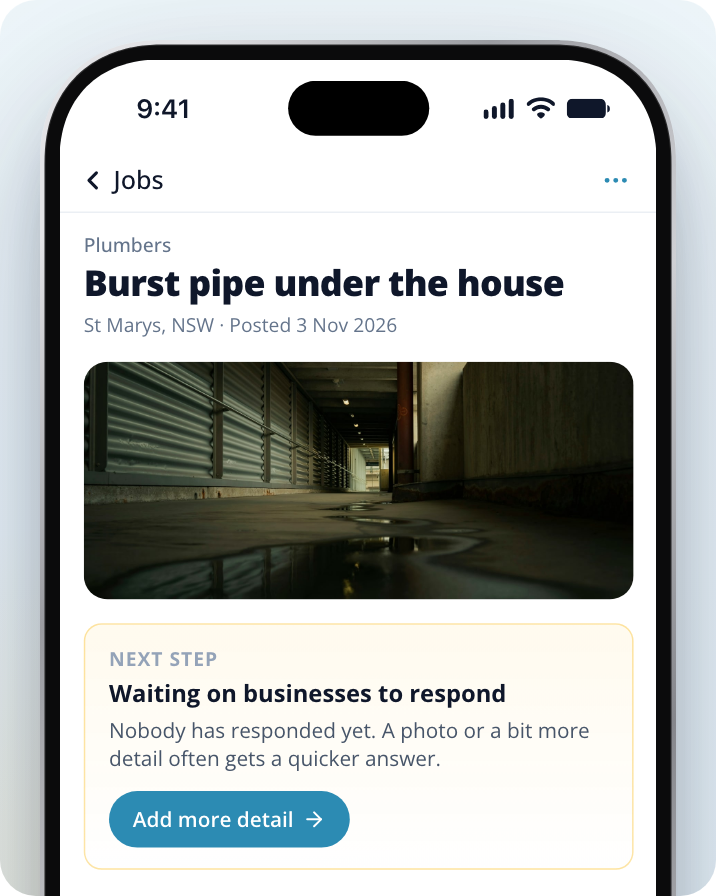
There's no set time. It depends on how many tradies work near you and how busy they are. While nobody has responded, your job page shows Waiting on businesses to respond.
If nobody has responded and you're not sure why, contact us and our team can check your job.
Why a job might not get responses
- Few businesses nearby. Only businesses that do your type of work in your area get your job. In some areas or trades there are only a few.
- Not enough detail. Tradies decide whether to respond from what's in your job. A short description with no photos is harder to quote on.
- Responses are paused. If you selected Pause new responses, we don't notify you of new responses and your job isn't sent to more businesses.
- The job is closed. Once a job is closed, tradies can't respond to it.
Make your job easier to quote on
A photo or a bit more detail often gets a quicker answer. Tradies already matched to your job see your changes.
Open your job
Go to Jobs and select the job you want to update.
Open the update screen
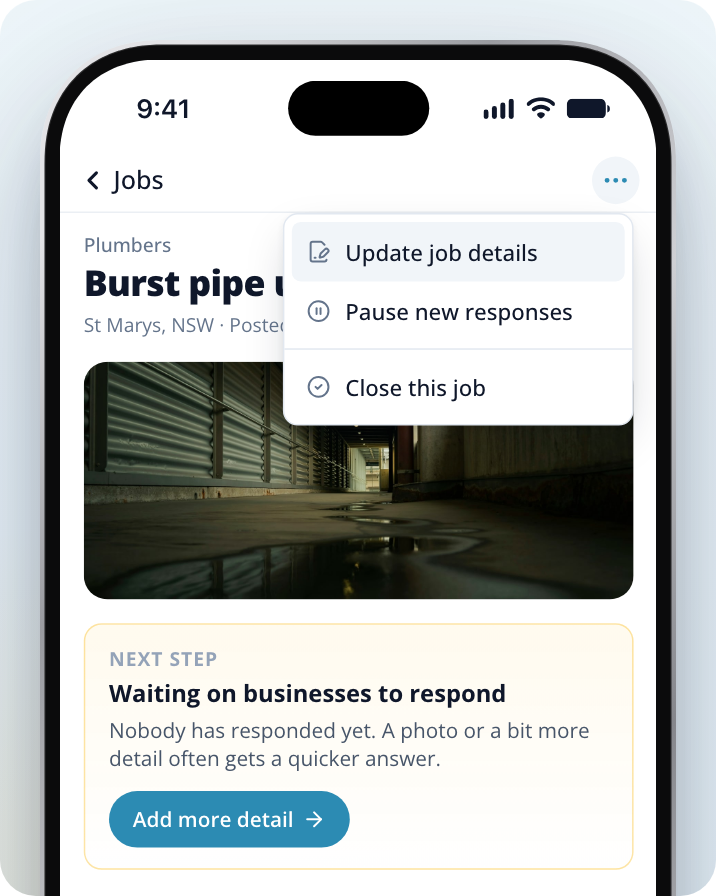
Select Add more detail on the Waiting on businesses to respond card. You can also select the three dots (top right on a phone, next to the job title on a computer), then Update job details.
Add details
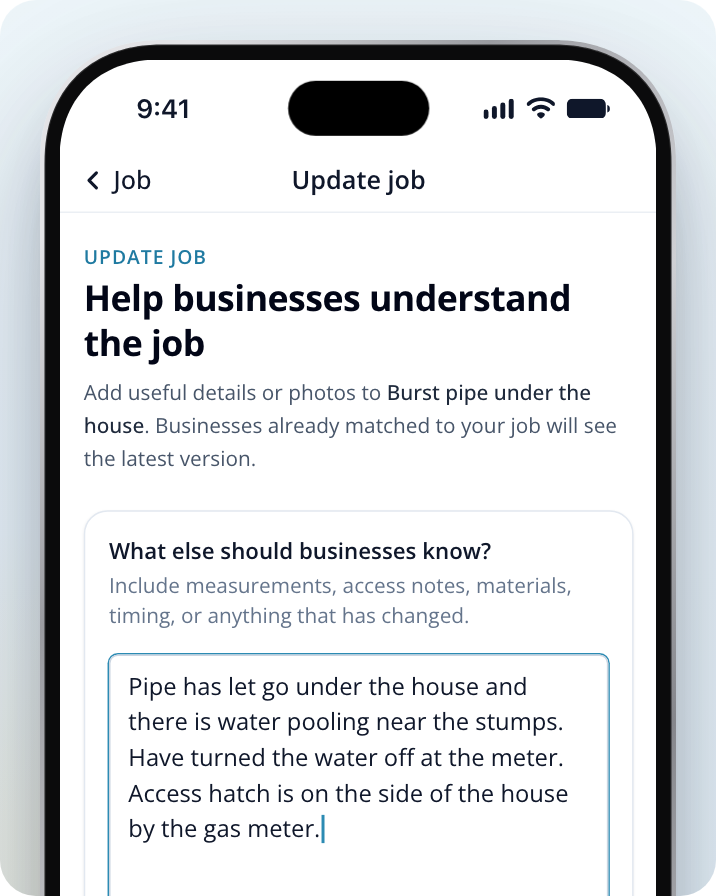
Enter anything that helps under What else should businesses know?, such as measurements, access notes, materials or timing.
Add photos
Select Add photos to show the area, the damage or the finish you want.
Save your changes
Select Save updates.
You can't change your job's category, location or contact details here. If one of those is wrong, post a new job with the right details.
Check whether responses are paused
Open your job and select the three dots (top right on a phone, next to the job title on a computer). If you see Start getting responses again, your job is paused. Select it to turn responses back on.
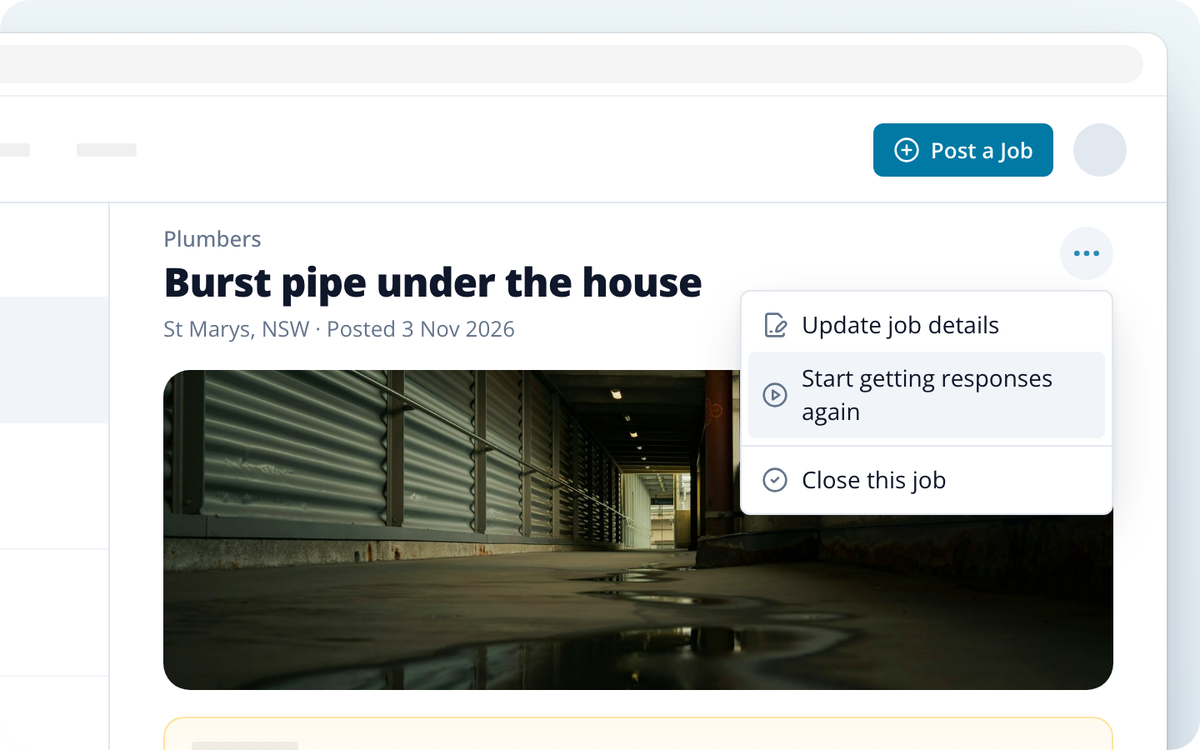
While responses are paused, we don't notify you of new responses and your job isn't sent to more businesses. Check your job page in case someone has already replied.
If a tradie said they'd contact you but hasn't
You can message any tradie who responded to your job.
Open your job
Go to Jobs and select the job.
Find their response
Find the tradie's response on the job page.
Send them a message
Select the blue link at the bottom of their response, next to View business, and send them a message in the conversation.
If you still don't hear back, compare the other tradies who responded, or look for another tradie using the options below.
Getting new quotes
If your job is still open, tradies already matched to it can still respond, and you can message any tradie who has. Updating your job's details doesn't send it to new tradies.
If your job is closed, or you need a different kind of tradie, select Post a Job to post a new one. Posting a job is free.
Other ways to find a tradie near you
- Contact a tradie directly. Search the directory for tradies in your area and open a business's listing. Select Message to send your job to that business, or Get Quotes to ask several businesses.
- Look in another suburb. If the directory shows no results for your suburb, select Browse nearby suburbs to pick another suburb in your state.
For more on posting a job and searching the directory, see Getting Started Finding a Tradie.
Need Assistance?
If you have questions, contact us at support@service.com.au or call 1300 523 787. Our team is here to help!