To decline a quote that's too expensive or that you can't afford, open the quote and select No thanks. The quotes you've received are all on your job's page, where you can also check each tradie's reviews before you hire them and compare their prices.
Where to see the quotes you've received
Go to your jobs
Log in to your account and go to Jobs.
Open the job
Select the job you posted. Everything tradies have sent you is listed under Responses.
Read each response
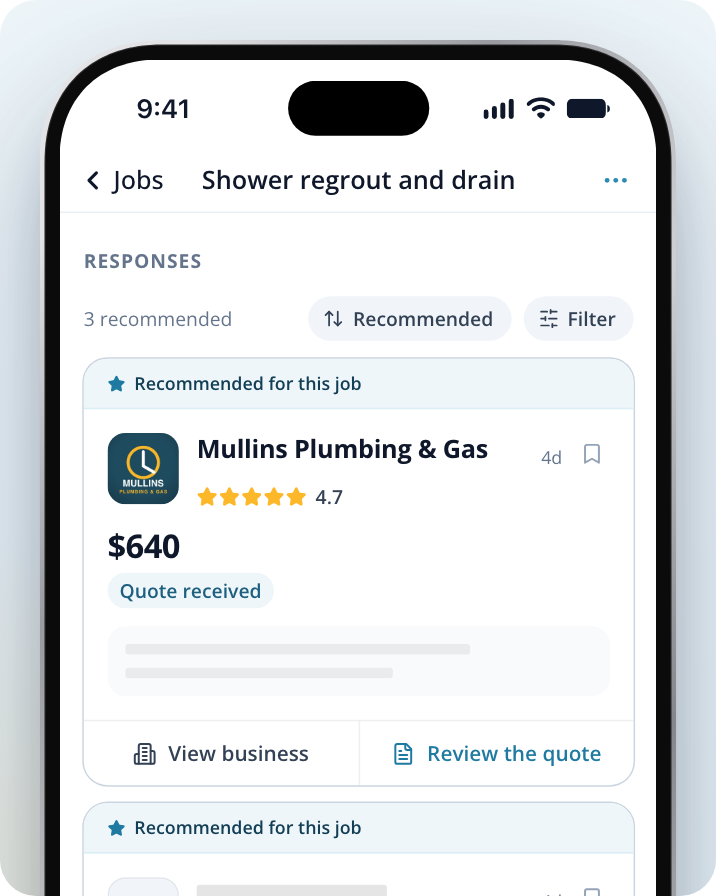
Each card shows the tradie's name and rating, their price (if they gave one) and the start of their message. If a tradie has sent you a quote, the card says Quote received.
See more responses
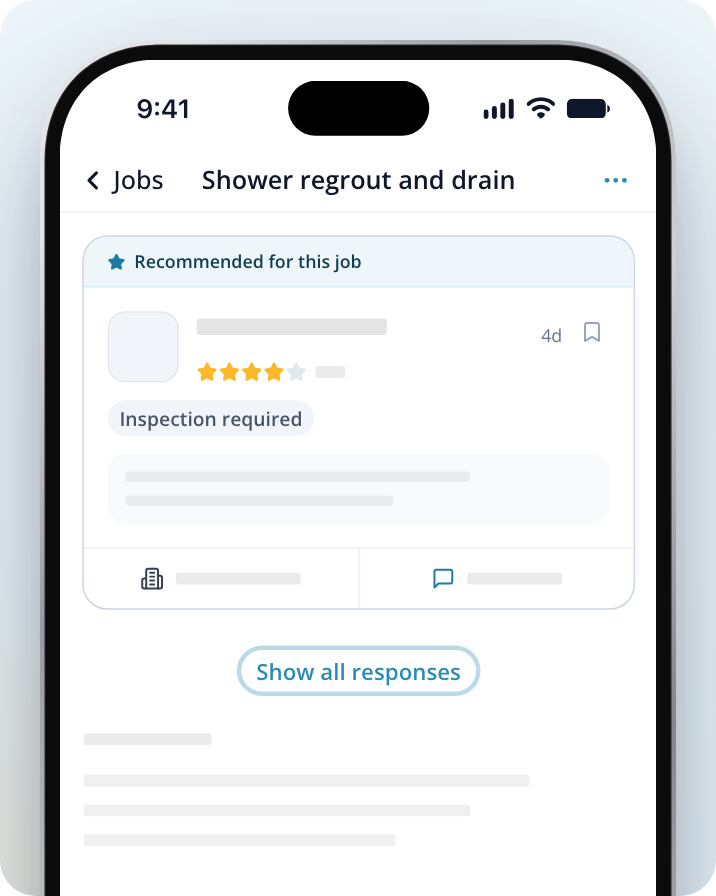
If you can't see every response, Select Show all responses or Show 8 more at the bottom of the list. When there are lots of responses, the button also shows how many are left, for example Show 8 more of 20.
Check a tradie's reviews before you hire them
Open the business
On any response card, Select View business.
Read their reviews and details
You'll see photos of their work, What we know about them, their description under In their words, and their reviews from other homeowners.
If you're already reading a tradie's response, Select About this business under their name to see the same details.
Compare quotes
Each response card shows the price in the same place, so you can read down the list and compare. If you have a lot of responses, you can sort and filter them using the buttons above the list:
- The sort button shows the current order, for example Recommended. Select it to choose Recommended, Priority, Price: low to high, Price: high to low, Highest rated or Most recent.
- Select Filter to show only Shortlisted, Has a price, Recommended or Been in touch.
To keep track of the tradies you like, Select the bookmark button in the top right corner of their response card. Shortlisted responses are marked Shortlisted. You can also shortlist from inside a response: Select the More options menu (the three dots at the top) and choose Add to your shortlist.
Estimates and firm quotes
Not every price is a quote. A card that says Estimated price is an estimate, not a firm price, and it can change once the tradie has seen the job. A card that says Inspection required means the tradie would like to see the job first. Only a Quote received card opens a quote with the No thanks and Accept quote buttons.
Decline a quote that's too expensive
Open their response
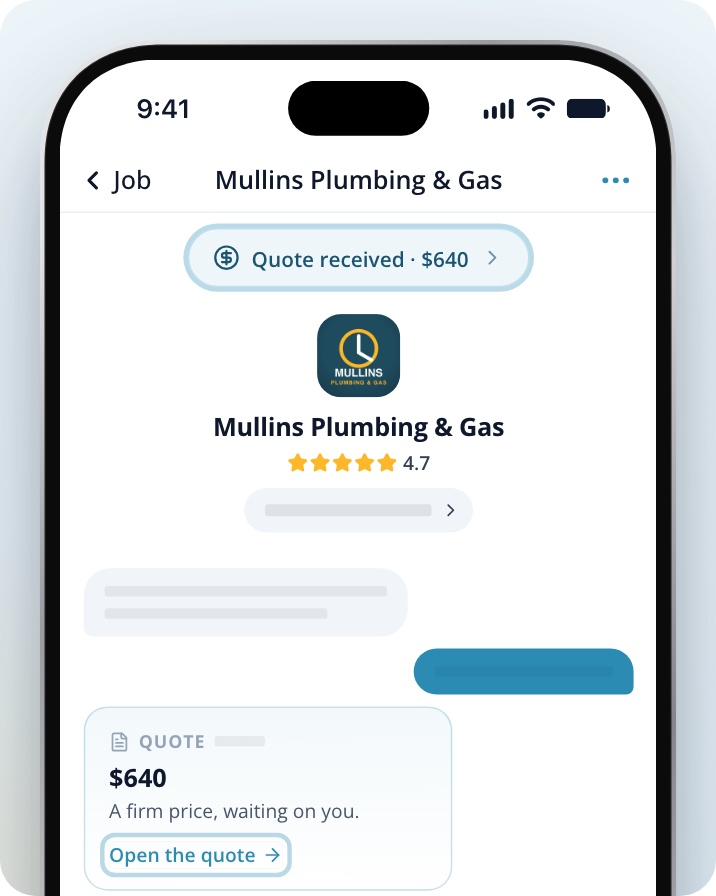
On your job page, find the tradie's response and Select Review the quote. This opens your conversation with them.
Open the quote
Select Quote received with the price at the top of the conversation, or Open the quote on their quote message. Both open the quote in a panel titled This quote.
Decline the quote
Select No thanks. The buttons disappear and the quote shows "You turned this quote down" with the date.
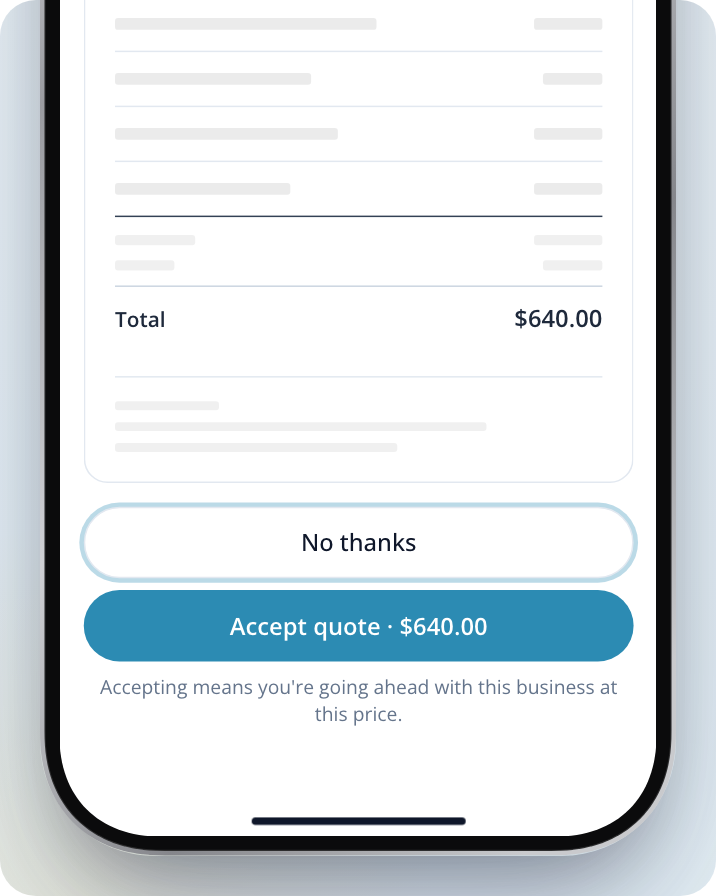
You can't undo declining from the quote itself. You can still message the tradie if you change your mind or want to talk about the price.
If you got a link to the quote by email or text, it opens the same quote with the same No thanks and Accept quote buttons.
If the tradie is updating their quote, you can read the current version but can't decline or accept it until they publish the update.
If a tradie gave you an Estimated price or said Inspection required without sending a quote, there's no No thanks button. Open their response and send them a message to let them know you won't be going ahead.
When you find a quote you're happy with, Select Accept quote. The button shows the quote's total price. Accepting means you're going ahead with that tradie at that price.