You can refer another business to Service.com.au from the Get Free Months page in your dashboard. The page offers a free month for referrals; see what you get below.
You only need their name, business name and phone number. Our team contacts them for you.
Refer a business
Open Get Free Months
Log in to your dashboard. On a computer, click on the menu icon in the top right corner and select Get Free Months. In a phone browser, tap Menu in the bottom bar, then Get Free Months.
Enter their details
Under Referral details, enter the person's First name and Last name, their Business name and their Phone number. You need to fill in all four.
Confirm you have their permission
Tick the box to confirm you have permission to share this contact and that you agree with the Terms of Service and Privacy Policy.
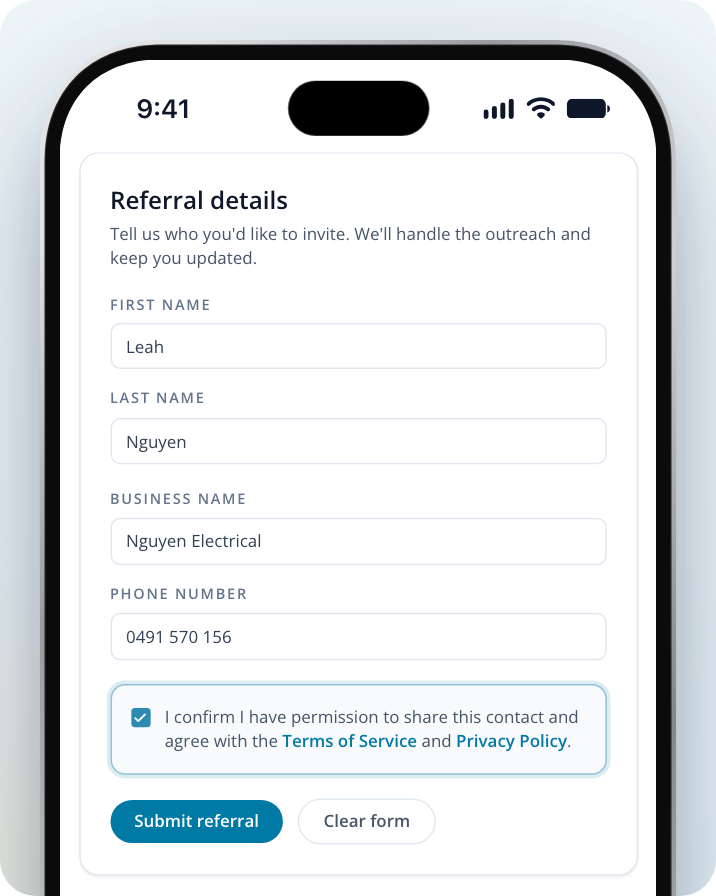
Send the referral
Click on Submit referral. You'll see Referral sent on the page, and we'll email you to thank you for your referral.
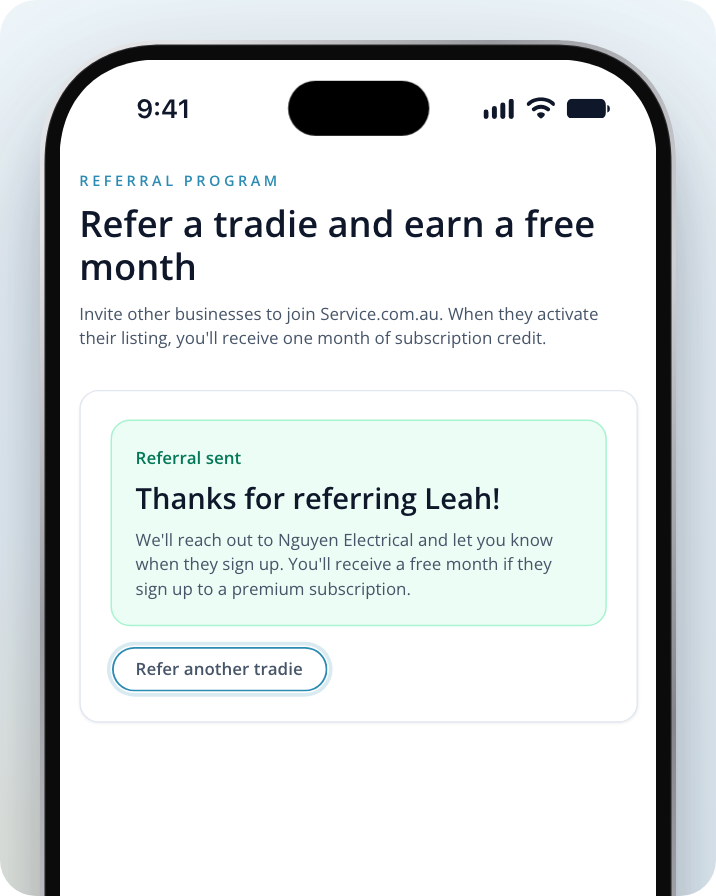
To refer someone else, click on Refer another tradie and fill in the form again. To start over before you send, click on Clear form.
What happens next
Our team contacts the business you referred. You don't need to do anything else.
What you get
The Get Free Months page says: "When they activate their listing, you'll receive one month of subscription credit." If you have a question about your free month, contact us.
Need Assistance?
If you have questions, contact us at support@service.com.au or call 1300 523 787. Our team is here to help!