You can change your notification settings at any time to stop job alerts and other platform notifications.
1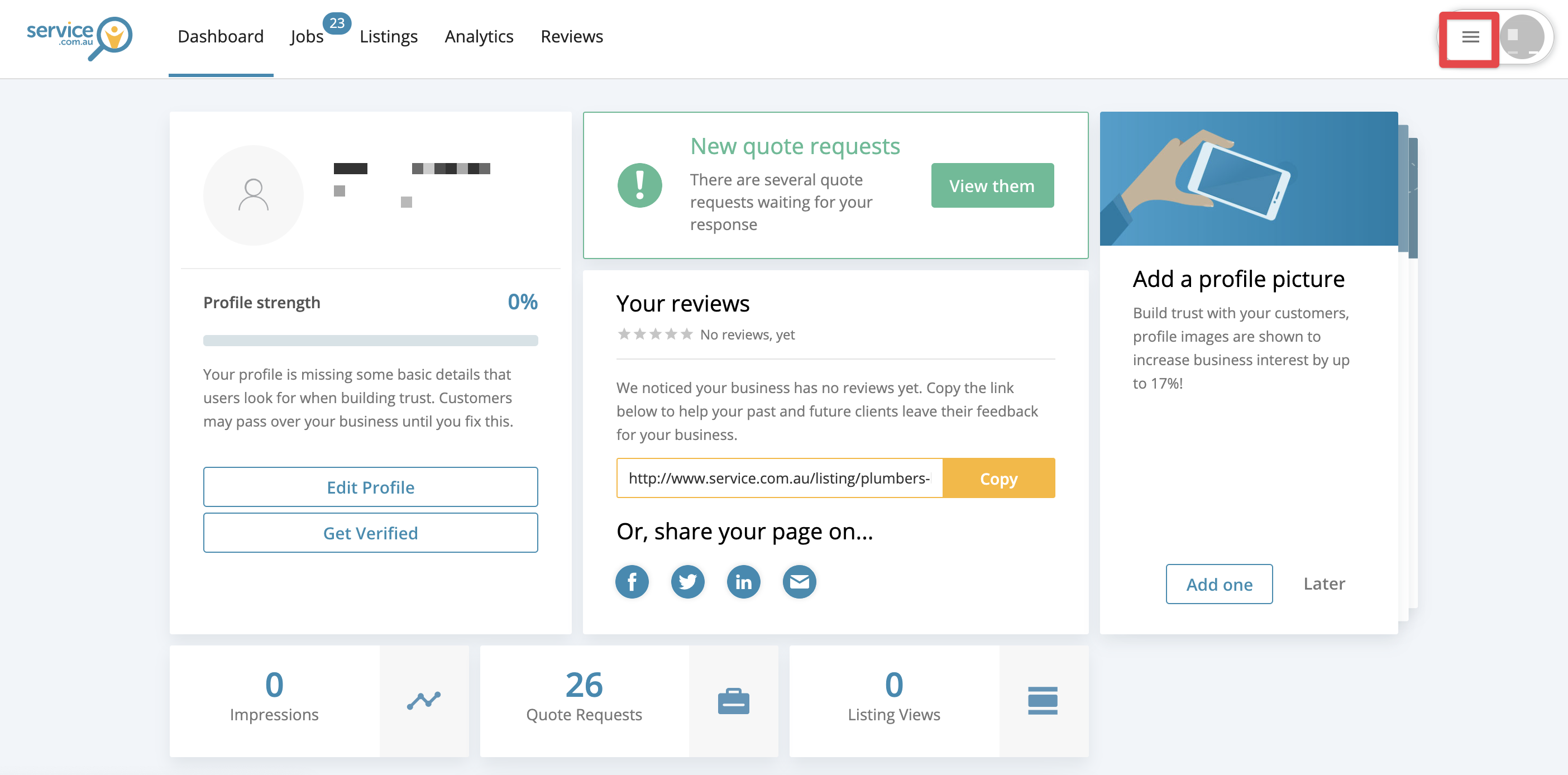
The dashboard with the Menu icon in the top right corner
Open the menu
Log in to your account dashboard or the app, then click on the Menu icon in the top right corner.
2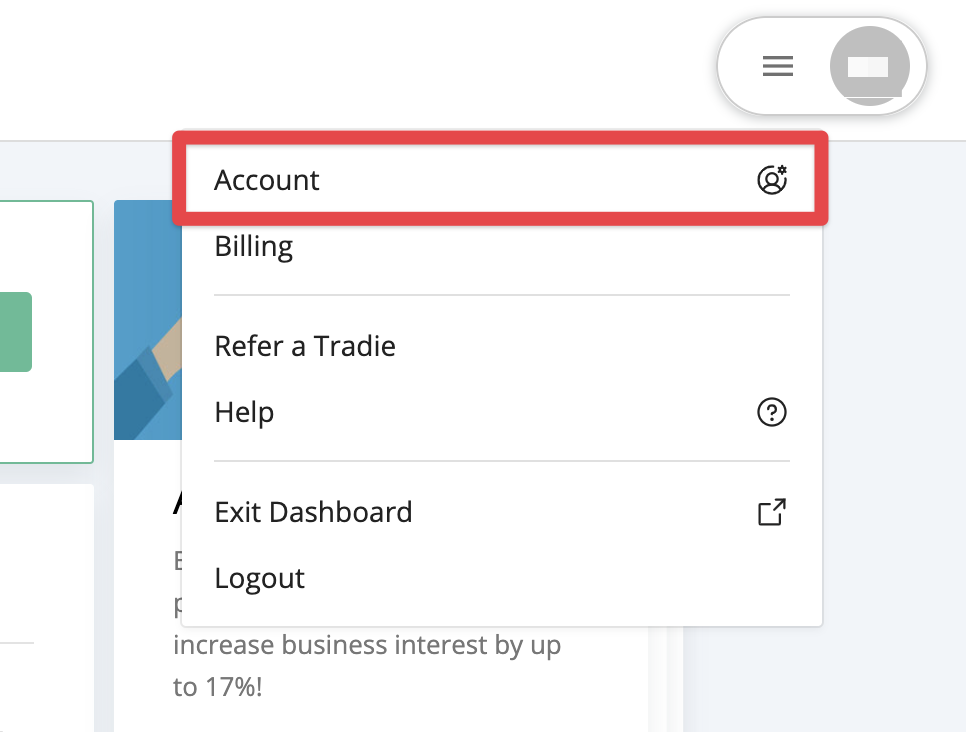
The menu showing the Account option
Go to your account settings
Select Account from the menu.
3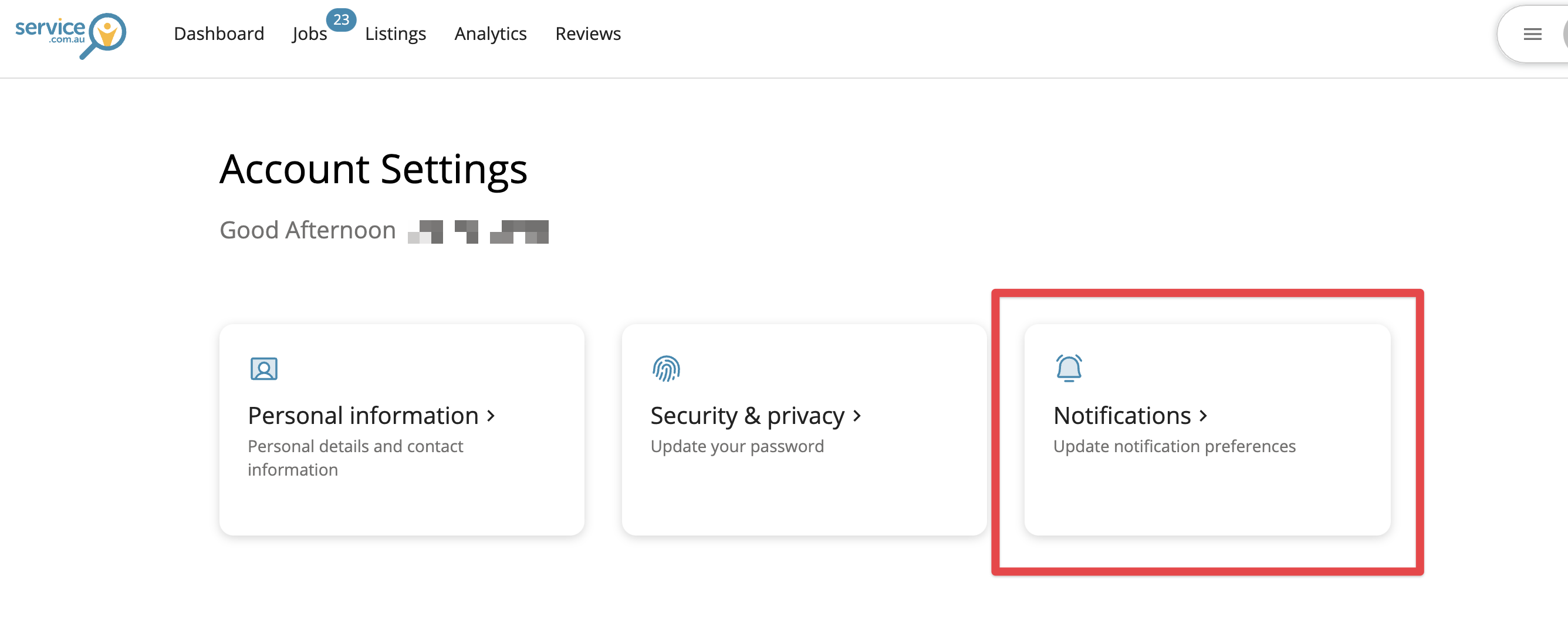
The account settings area showing the Notifications option
Open notifications
Click on Notifications to view your current settings.
4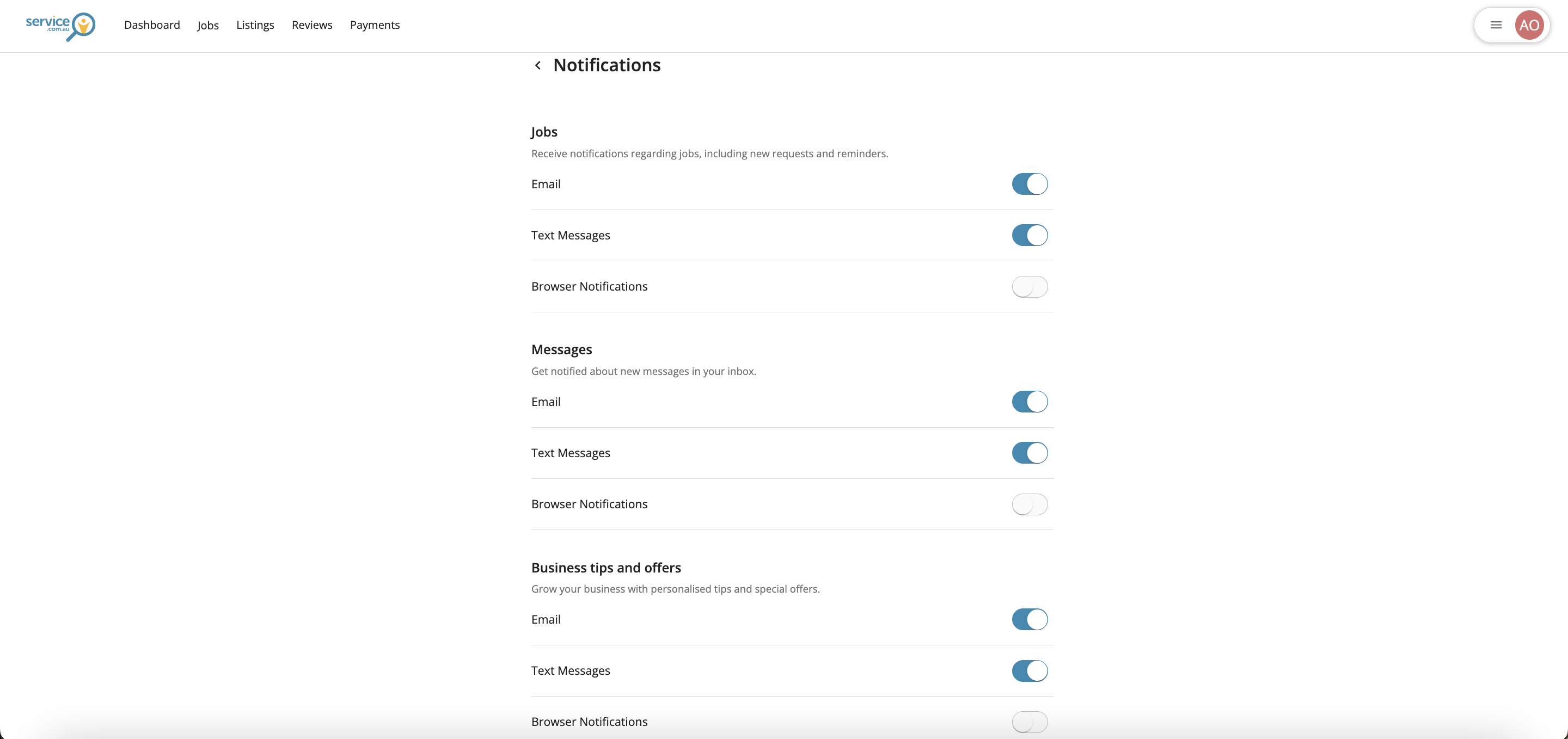
The notifications settings page with toggle buttons and the Submit button
Update your notification preferences
Use the toggle buttons to turn notifications on or off, then click on Submit to save your changes.
Disable email notifications
If you cannot update your email notifications yourself, you can contact us to request a change.
Remove your account
If you want to remove your listing from Service.com.au completely, contact support at support@service.com.au.
Need assistance?
If you have questions, contact us at support@service.com.au or call 1300 523 787.