You can't add team members or staff to your business account yourself. There's no setting to invite someone, give them their own login or remove a former employee. Contact us and our team will help with any of these.
If Someone Else Needs Access
Your dashboard has no team members or staff access setting, on a computer, on a phone or in the app. If someone else in your business needs to see your leads and jobs, contact us and we'll help.
Removing Someone Who Used to Have Access
If a former employee or someone else still has access to your account, contact us. Before you do, you can check which email address is on your account.
Open the menu
On a computer, Click on the menu icon in the top right corner. On a phone or in the app, Select Menu.
Open your profile
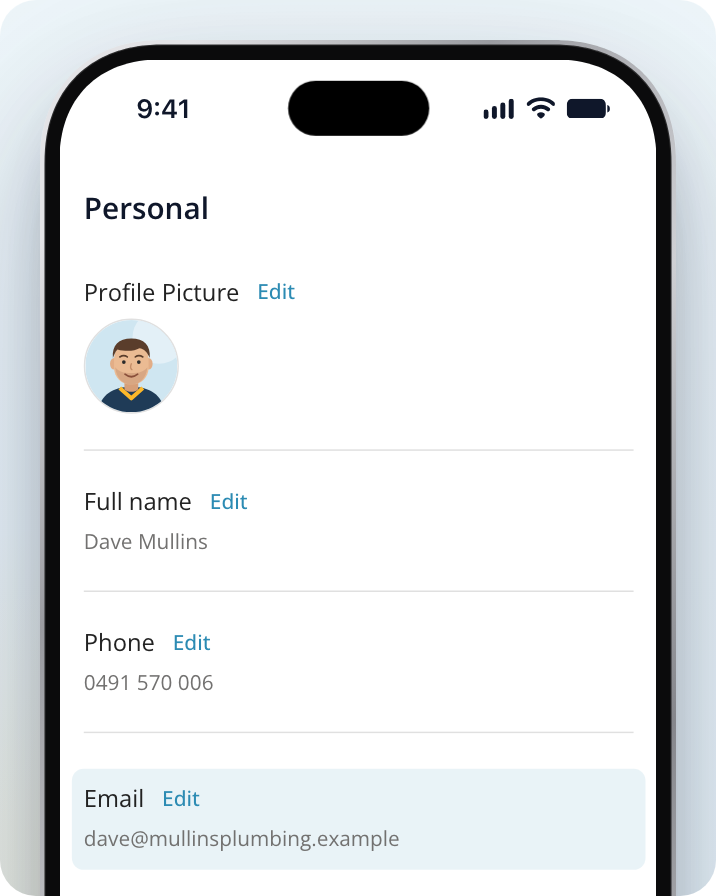
On a computer, Select Profile under Settings. On a phone or in the app, Select Personal information.
Check the email address
Look at the Email field. If it isn't an address your business still uses, let us know when you contact us. If you change and save the email here, it also changes the email address you sign in with.
Why Jobs Show on One Account but Not Another
If you or someone in your business signs in with a different email address, you may be in a separate account, so your leads and jobs won't show there.
To fix this, log out and sign in again with the email address your business normally uses. On a computer, Logout is at the bottom of the menu icon in the top right corner. If you're not sure which email address to use, contact us and we'll check.
Signing In and Your Account Details
You sign in with the email address on your account. If you can't get in, see Why Can't I Log In With My Email or Passcode? To update your name or other details, see How to Manage Your Account and Change Your Name.
Need Assistance?
If you have questions, contact us at support@service.com.au or call 1300 523 787. Our team is here to help!