Toolbox is the job management app for tradies from Service.com.au. It keeps your jobs, quotes, invoices and card payments in one place. Your first month is free for 30 days, then it costs A$29/month + GST, an introductory price.
You can use it on every job, wherever the work comes from: word of mouth, repeat customers, your own website or Service.com.au leads. It works on iPhone and Android, in your phone's browser or in the Service.com.au app.
What Toolbox Costs
- A$29/month + GST for the business. This is an introductory price. It's not charged per user.
- Your first month is free. It's free for 30 days. You enter a card when you start, and you won't be charged until your free month ends.
- The free month is a one-off. If you've had it before, the button reads Subscribe instead.
- One subscription covers every listing you have.
- You can cancel any time from Billing, and your jobs and documents stay yours.
How Toolbox Works With Your Listing
Toolbox is a separate subscription from your Premium listing plan. You don't need Premium to use Toolbox, and you don't need Toolbox to quote on leads.
- If you don't have a Service.com.au account yet, sign up first. A free Basic listing comes with your account.
- If you want more work, you can add a Premium plan to get Service.com.au leads whenever you like. Lead jobs show up in Jobs next to your own.
What Works Without Toolbox
Some job tools already work on the jobs we send you. Toolbox adds them for your other work.
Without Toolbox, on Service.com.au lead jobs, you can:
- Send quotes and invoices
- Book visits
With Toolbox, you can also:
- Add your own jobs to Jobs, not just your leads
- Send quotes and invoices on jobs that didn't come from Service.com.au
- Use To-dos, which remind you when a task is due
- Save customers once so their details fill in on every job, quote and invoice
- Keep your prices in a Price book
- Put your own branding on your quotes and invoices
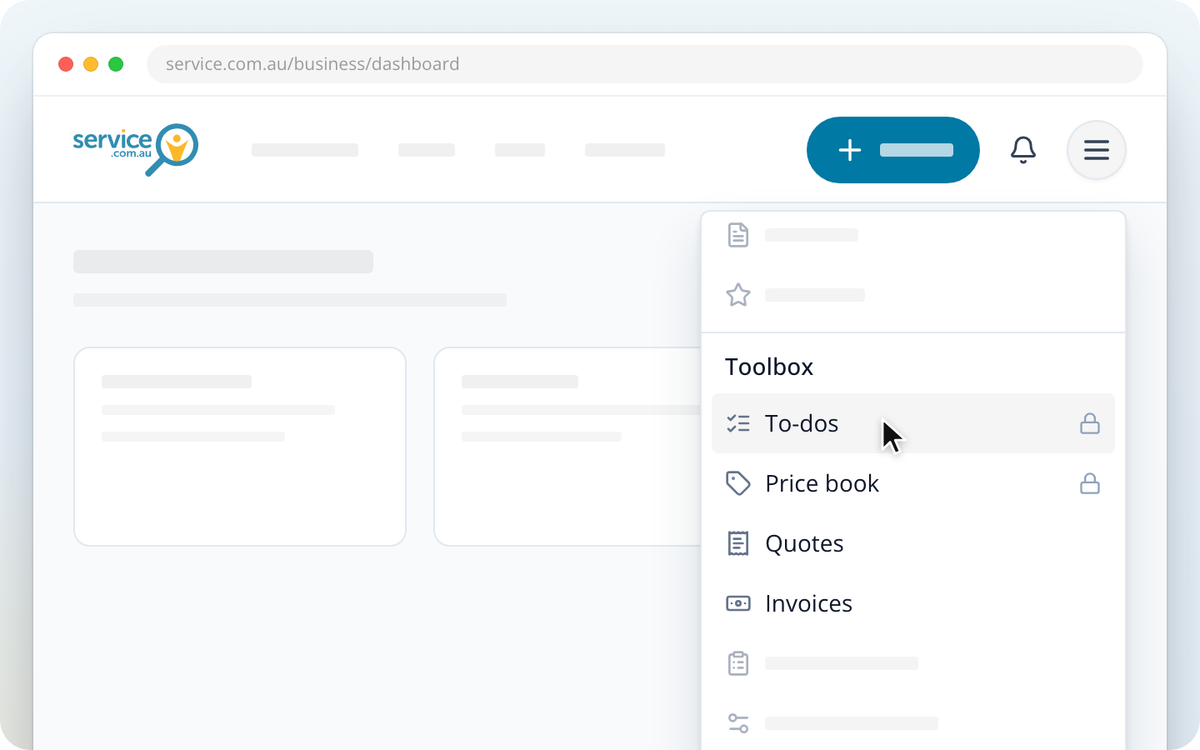
Without Toolbox, Customers, To-dos and Price book show a lock. On a computer they're in the Toolbox menu in the top bar, and on a phone they're in Menu. Selecting one opens a screen where you can start your free month.
How to Start Your Free Month
Log in to your dashboard
Log in to your business dashboard.
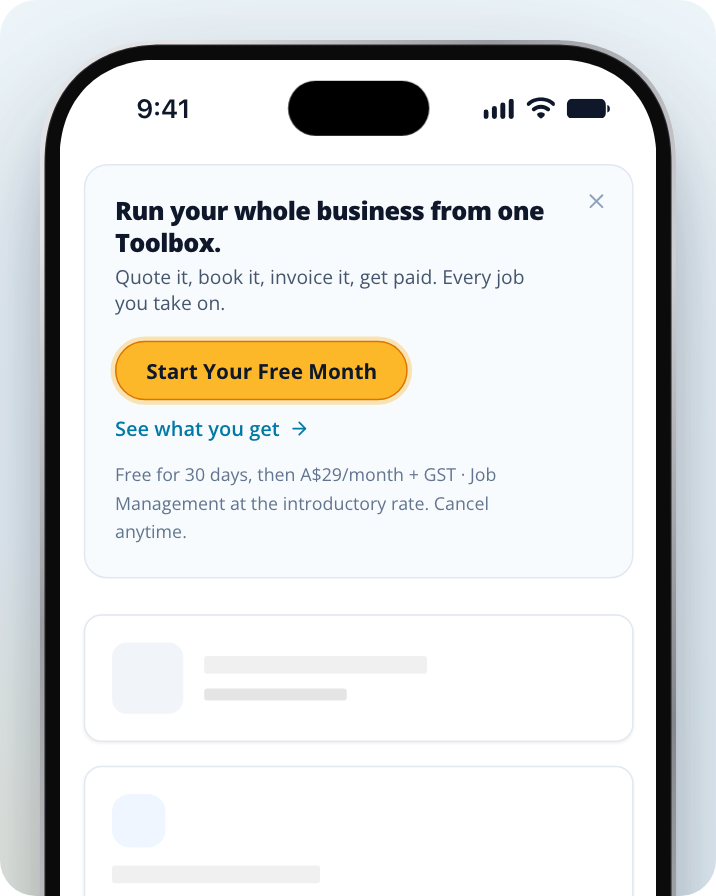
Select Start Your Free Month
The Toolbox banner shows only on your dashboard home, not on other dashboard pages. Find it at the top of your dashboard home and Select Start Your Free Month. To read more first, Select See what you get.
Enter your card details
A secure checkout page opens. Enter your card details and confirm. You won't be charged until your free month ends.
Go back to your dashboard
The checkout page takes you back to your dashboard. The button shows Confirming your subscription… for a few seconds while Toolbox switches on.
If you've hidden the banner, you can also start from Billing. Click on the menu icon in the top right corner, Select Billing, then Select Start your free month on the Toolbox card, then Start Your Free Month on the screen that opens.
Check When Your Free Month Ends
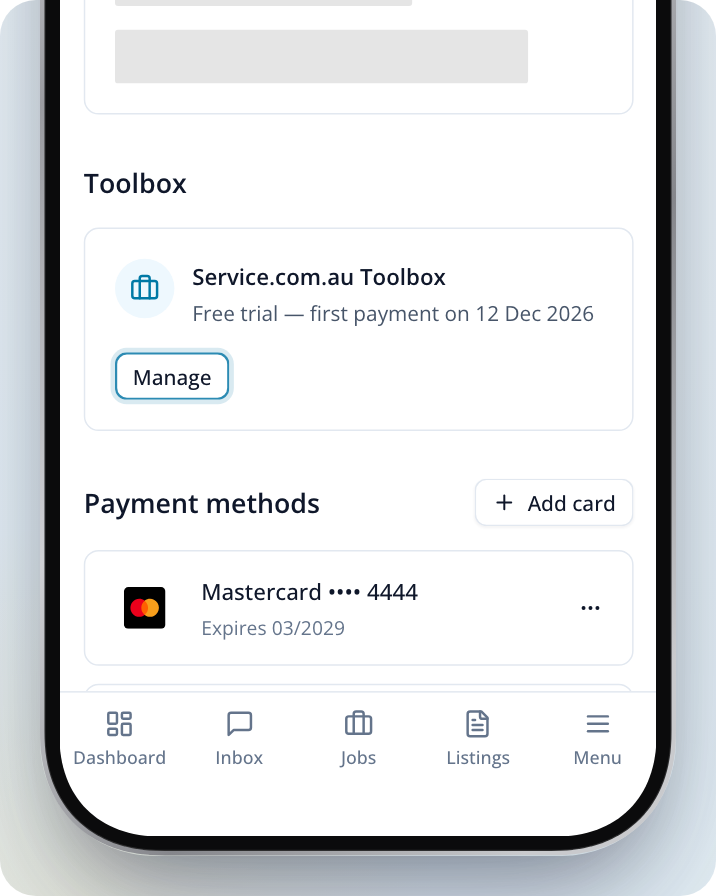
Go to Billing. During your free month, the Toolbox card shows Free trial and the date of your first payment. To change your card or cancel, Select Manage.
Need Assistance?
If you have questions, contact us at support@service.com.au or call 1300 523 787. Our team is here to help!