A new device sign-in email (or sign-in alert) means your Service.com.au account was just signed in to from a device or browser it hadn't seen before. If that was you, you don't need to do anything.
When it's safe to ignore
The alert is usually expected. You can ignore it if, around the time it arrived, you:
- Signed in on a new phone or computer, in a different browser, or in a private or incognito window.
- Opened a link in an email or text from us on that device. Links about a new quote, a new message or a new lead sign you straight in, so opening one on a new device counts as a sign-in.
- Posted a job without signing in first. When you post a job with an email address that doesn't have an account, we create one for you and sign you in, so the alert can arrive right after you post.
If you didn't sign in
If none of the above fits, check your account and contact us.
Log in to your account
Log in to Service.com.au on a device you trust.
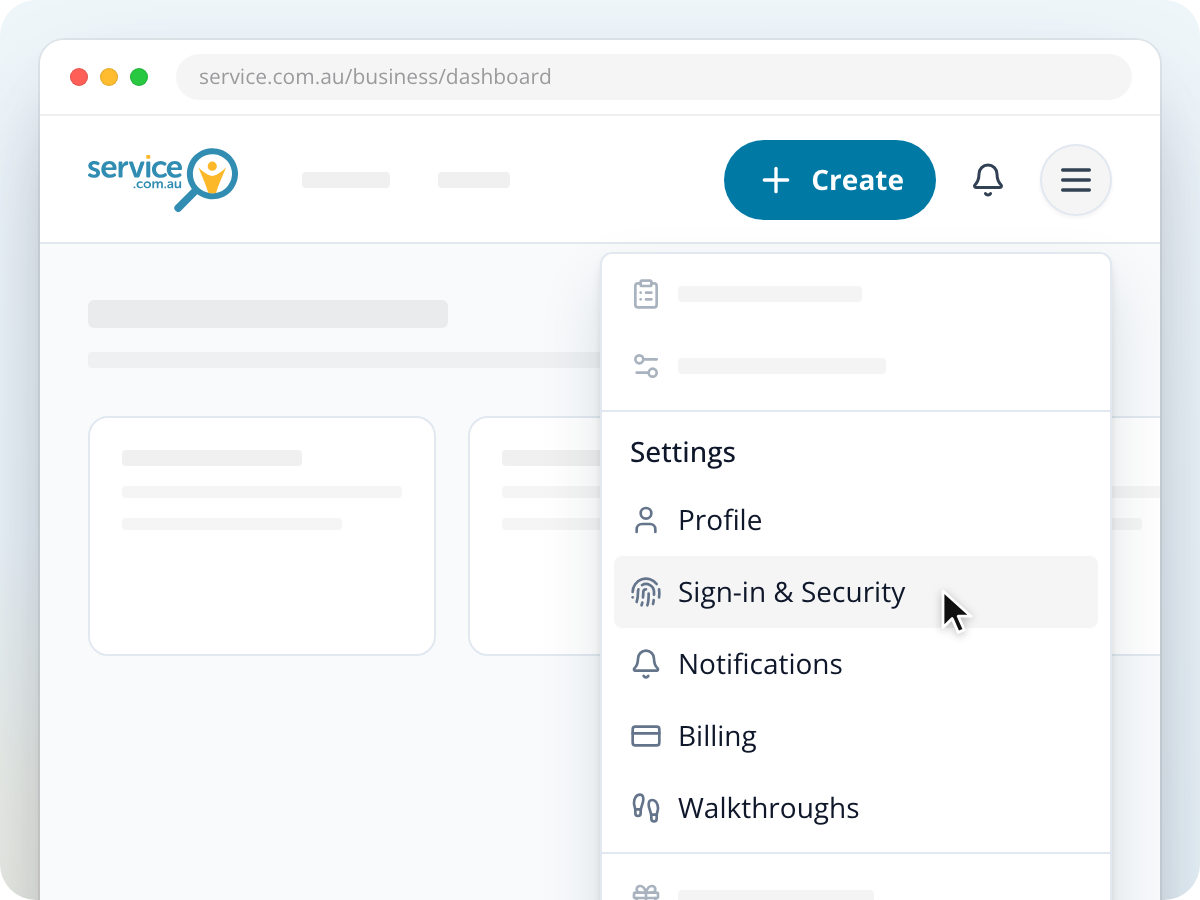
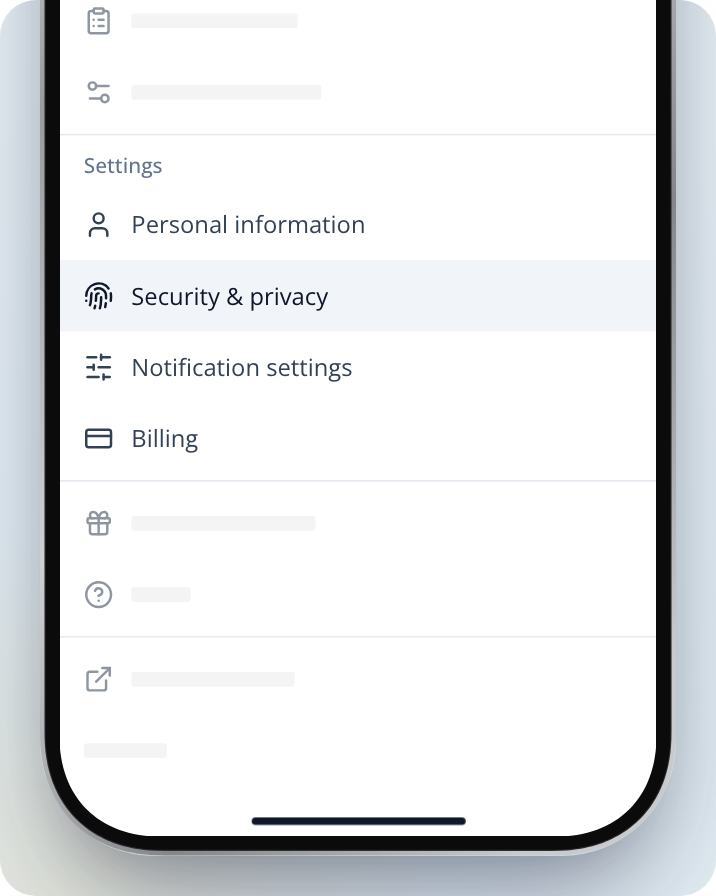
Open Sign-in & Security
On a computer, click on the menu in the top right corner and select Sign-in & Security. In a phone browser, open Menu in the bottom bar and select Security & Privacy (businesses see Security & privacy).
Check where you're signed in
Look through the devices signed in to your account and sign out of any you don't recognise.
Change your password
If your account has a password, change it to one you don't use anywhere else.
Contact us
Let us know it wasn't you, so our team can check your account.
Alerts for an account you didn't create
You might have an account without signing up for one. This can happen when:
- You posted a job, or someone posted one with your email address. Posting a job creates a homeowner account for that email.
- Our team set up a listing for your business.
If you opened a link in one of our emails or texts, that link signed you in to this account, and the alert followed.
If you don't recognise the account or don't want it, contact us. Our team can check what it's linked to and close it for you.
Need Assistance?
If you have questions, contact us at support@service.com.au or call 1300 523 787. Our team is here to help!